216digital.
Web Accessibility

ADA Risk Mitigation
Prevent and Respond to ADA Lawsuits


WCAG & Section 508
Conform with Local and International Requirements


a11y.Radar
Ongoing Monitoring and Maintenance


Consultation & Training

Is Your Website Vulnerable to Frivolous Lawsuits?
Get a Free Web Accessibility Audit to Learn Where You Stand
Find Out Today!

Web Design & Development

Marketing

PPC Management
Google & Social Media Ads


Professional SEO
Increase Organic Search Strength

Interested in Marketing?
Speak to an Expert about marketing opportunities for your brand to cultivate support and growth online.
Contact Us

About

Blog

Contact Us
  • Do PDFs Need To Be Web Accessible?

    Do PDFs Need To Be Web Accessible?

    PDFs have become a content staple for online businesses. From brochures and forms to e-books and reports, everyone uses PDFs, and with good reason. They’re compatible with most online content and are the ideal way to share and view information online.

    But have you ever considered how accessible these documents are for disabled users? Despite their many advantages, PDFs often remain a closed book for people with disabilities.

    Read on to learn what an accessible PDF is, how it will benefit your online business, and how to make your PDF files accessible to everyone.

    The Popularity of PDF Documents

    It’s not surprising that PDFs are used so much in the workplace. They are the perfect medium for presenting different types of information in a single document. Text, photos, charts, logos, and other items become fixed in a PDF, so the end-user can’t delete or reorder page elements.

    PDFs also preserve the original formatting, fonts, and layout across different devices and operating systems. This ensures that your documents look the same to all users, regardless of their device.

    Today, PDFs are the most widely used online document format. However, not all PDFs are made with accessibility in mind. While they may appear visually perfect, they can pose challenges for people with disabilities. But why are web-accessible PDFs important?

    Why is PDF Accessibility Important?

    While many businesses use PDFs for essential purposes, it’s important to remember that all online content must be fully accessible. Title III of the Americans with Disabilities Act (ADA) requires businesses open to the public to provide complete and equal access to people with disabilities. Moreover, the Department of Justice (DOJ) has continuously taken the position that the ADA does apply to all online content, including PDFs.

    When authoring your online documents, you must avoid creating barriers for individuals with disabilities. For example, many PDFs need the appropriate tags to define their structure and non-text content. These issues can create barriers for people who use screen readers and other assistive technologies. In that case, you may expose yourself to legal implications and accessibility-related lawsuits. So don’t take the risk; ensure that your PDFs are accessible.

    Aren’t all PDFs Web Accessible?

    Contrary to popular belief, PDFs are not automatically web-accessible. While all PDFs are created using standard desktop publishing tools, they are not explicitly designed with accessibility in mind. As a result, many PDFs contain severe obstacles that can be difficult for users with disabilities to navigate or understand.

    For example, suppose someone with low vision or who is legally blind uses a screen reader. In that case, they won’t be able to read a standard PDF if it lacks alternative text descriptions for images. This is because assistive technology tools like screen readers are not automatically compatible with PDFs.

    In order to make PDFs truly accessible, additional efforts must be taken to address these concerns.

    How are Accessible PDFs Different?

    The fundamental difference between an accessible and inaccessible PDF file is that one can be accessed, viewed, and interacted with by everybody. For a PDF to be considered accessible, it must meet a set of accessibility guidelines:

    1. Web Content Accessibility Guidelines (WCAG): WCAG is the set of guidelines created by the World Wide Web Consortium (W3C) to make web content more accessible to people with disabilities. They provide pass-or-fail success criteria with recommendations that can be applied to web-delivered documents.WCAG 2.1 is the current standard, including specific guidelines for PDF accessibility.
    2.  PDF/UA 1 (ISO 14289-1)  This is an international standard for accessible PDFs, which provides detailed technical specifications for creating accessible documents.

    What Are Tag Trees, and How Do They Help Make PDFs Web Accessible?

    Tagged trees, or “tag trees,” are the main elements for making a PDF accessible. These tags tell assistive technologies how to read the PDF content and identify headings, paragraphs, sections, and tables.

    They ensure that assistive tech tools move from section to section in the correct order without skipping non-text items like graphs or images. By doing so, tag trees can help convey information about the document’s layout, reading order, and organization to assistive technologies.

    Tag trees help make a PDF accessible in several ways:

    1. Reading Order:  Properly tagged PDFs define the correct reading order for the content, ensuring that the text is presented in a logical sequence that makes sense to the user. This is especially important for screen reader users who rely on a linear reading experience.
    2. Alternative Text: Tags can include alternative text descriptions for non-text elements, such as images or charts. This allows screen readers to convey the purpose or meaning of these elements to users who cannot see them.
    3. Navigation: Proper tagging enables users to navigate between different sections or elements of the document easily. For example, the user wants to move from one heading to another or jump to a specific list or table, proper tagging makes this possible.

    To make PDFs accessible, they must be appropriately tagged. This can be done using various tools and software, such as Adobe Acrobat Pro, which allows you to add, edit, or validate tags in a PDF. By making PDFs accessible through the use of tag trees, you help ensure that people with disabilities can access, navigate, and understand your documents more effectively.

    How to Make Your PDF Accessible

    PDFs can be made accessible if you structure and tag them correctly to meet accessibility standards. However, creating your document with accessibility in mind from the beginning is much easier than editing it once it has been made!

    Here are some tips to make your PDFs more accessible:

    • Add descriptive text for images, charts, and other non-text elements.
    • Ensure that your document follows a clear hierarchy with headings, lists, and tables (i.e., H1, H2, H3)
    • Choose fonts that are easy to read and ensure sufficient contrast between text and background colors.
    • If interactive form fields need to be completed, ensure the user can enter values and move from one field to the next logically using the keyboard.

    Some tools like Adobe Acrobat Pro and Acrobat DC add tags automatically with the “save as accessible PDF” function. However, they are not perfect. You’ll still need to check tags manually to ensure they match the content and are ADA-compliant.

    How to Check PDFs for Web Accessibility

    Every organization needs to consider accessibility from the first stages of document creation. PDFs are not only a legal requirement in many jurisdictions but also a smart business strategy. By making your PDFs accessible, you can reach a larger audience, improve your SEO, and demonstrate your commitment to inclusivity. Start implementing web accessibility into your PDF documents today by scheduling a complementary ADA Strategy Briefing with 216digital. Unlock the full potential of your online business.

    Greg McNeil

    April 10, 2023
    Legal Compliance, WCAG Compliance
    Accessibility, ADA Compliance, ADA Website Compliance, Website Accessibility, Website Accessibility Tools
  • What’s the Difference Between Usability and Accessibility?

    What’s the Difference Between Usability and Accessibility?

    Imagine surfing the internet and being unable to read the text due to size. Or not being able to enjoy video content because it has low volume and lacks closed captions. That’s where web usability and accessibility come into play. These two concepts might seem the same at first, but usable content isn’t always accessible. So, what exactly do these terms mean, and how do they affect your online experience?

    In this post, we’ll explore the differences between web usability and accessibility and how they work together to create an optimal user experience. Let’s look at each concept in more detail.

    Understanding Usability

    Website usability helps us understand the user’s needs. It applies a user-centric design process to make sure that websites are efficient, easy to use, and satisfy users. In other words, a website should be easy to navigate, have a clear layout, and include a responsive design.

    For example, a website with excellent usability will make it simple for users to find information, complete tasks, and engage with the site’s content.

    Some key principles of web usability include:

    • Ease of learning: How easily can users accomplish basic tasks when encountering a website for the first time?
    • Efficiency: Once users have learned the workings of a website, how quickly can they perform tasks?
    • Recognition: When previous users return to a website, how easily can they remember what and how to do something?
    • Errors: How often do users make errors, and how easily can they recover from them?
    • Satisfaction: How pleasant is the website in terms of design and layout?

    While usability is based on user experience, it doesn’t focus on users with disabilities. Web accessibility, on the other hand, does.

    What is Web Accessibility?

    Web accessibility is the practice of making websites usable by people with disabilities. It aims to remove barriers preventing these users from accessing, navigating, and interacting with the content. Allowing them to perceive, understand, navigate, and interact with websites and tools equally.

    Some key principles of web accessibility include:

    • Providing all non-text content (images, form fields, video, audio, etc.) with a text alternative that serves the equivalent purpose
    • Making sure everything on the website can be done through keyboard navigation
    • Using webpage titles that describe each page’s topic or purpose.
    • Ensure the site’s navigational elements are consistent and predictable across every page.
    • Allowing users with visual impairments to adjust the text size and contrast on a website.

    Web Accessibility is a Part of Usability

    While web accessibility focuses on ensuring that people with disabilities can use websites, web usability is about making a website easy to use for everyone. Although these concepts have different goals, they do share some similarities. For instance, both require clear navigation, readable text, and a logical structure.

    However, it’s important to remember that a usable site and an accessible site are not always the same, and vice versa. For example, a website can be usable if it works well for everyone. Still, it could be inaccessible if it creates barriers for those with disabilities. On the other hand, a website can be accessible but not usable if it is designed for people with disabilities but lacks user-friendly features.

    The goal is to create a website or tool that is both web accessible and usable, benefiting the widest range of users possible.

    Web Accessible Design

    There are guidelines and techniques for web accessibility. The Web Content Accessibility Guidelines (WCAG) is a set of recommendations created by the World Wide Web Consortium (W3C) to ensure web accessibility. These guidelines are organized under four main principles: perceivable, operable, understandable, and robust (POUR).

    However, designers, developers, and business owners often only approach web accessibility as a checklist of standards to meet. As a result, the user’s interaction is often lost, and accessibility is not achieved.

    Only by combining the accessibility standards and usability process can we make sure a website is technically and functionally usable by people with disabilities. This process is often referred to as usable accessibility or accessible user experience.

    Testing for Web Accessibility and Usability

    Testing is an essential step in making sure that your website is accessible and usable. For web accessibility, you can use automated testing tools like Lighthouse, WAVE, and Firefox Inspector. Automated audits scan your website for accessibility barriers, such as missing alt text, improper header structures, and broken links. These tools provide quick insights into potential problems, such as missing alt text, improper heading structures, and broken links. However, automated testing is not enough. 

    For web usability, it’s helpful to conduct a manual audit. Manual reviews are more thorough, providing a more accurate assessment of how people with disabilities experience and engage your website. A web accessibility expert assesses your website using tools and human judgment. This includes screen readers, keyboard navigation, and magnifiers.

    Web Accessibility and Usability

    Web accessibility and web usability are two different yet interconnected concepts that help create a better online experience for all users. By understanding and implementing both, you can create a website that is inclusive, user-friendly, and compliant with accessibility standards.

    As you become aware of the importance of web accessibility and its impact on your users, it is important to know you are not alone. 216digital is here to help regardless of where you are in your web accessibility journey. Schedule a complementary ADA Strategy Briefing today to find out how we can help.

    Greg McNeil

    April 10, 2023
    WCAG Compliance
    Accessibility, ADA Compliance, ADA Website Compliance, Website Accessibility
  • Debunking Common Web Accessibility Myths

    Debunking Common Web Accessibility Myths

    “Web accessibility is too expensive.“

    “There’s no real business value to making my website accessible.“

    These are just a few of the concerns we hear when talking to organizations about web accessibility for the first time. And while it’s easy enough to poke holes in each one, it’s worth mentioning these myths are one of the many reasons digital accessibility lags so far behind.

    To better understand why online businesses are slow to build accessible experiences, let’s debunk some of these myths and explain why web accessibility is essential for your business.

    Common Myths in Website Accessibility

    Common misconceptions about web accessibility have impacted the way organizations approach any accessibility initiative — particularly when it comes to time, cost, and compliance. Here’s what we learned.

    Myth: There Are No Benefits to an Accessible Website

    Why is digital accessibility so important? We can all agree that delivering an equal browsing experience to every user is the right thing to do. However, there are other benefits, like improved search engine optimization (SEO).

    Many of the same principles for good SEO overlap with web accessibility best practices. Companies spend tens of thousands of dollars every year to improve their searchability. Search engines rank websites based on the content and user experience.By working on one, we enhance the other. After all, a better user experience for your visitors also offers a better understanding to search crawlers.

    Myth: Web Accessibility Only Affects Those Who Are Blind or Have Low Vision

    Most believe visual impairments are the most prominent disability an inaccessible website can impact. However, web accessibility can benefit several impairments, including hearing, cognitive, and motor. In fact, mobility and cognitive impairments affect a higher percentage of the population than visual. 

    That means digital accessibility is essential for people who cannot move their limbs and require a switch device. Similarly, people with dyslexia need the option to change fonts or line spacing. 

    The bottom line is an accessible website benefits users of all abilities. And your website’s design doesn’t have to suffer in the process.

    Myth: Web Accessibility Means Redesigning My Entire Website

    Most online business owners believe that providing an accessible online experience means starting from scratch — redesigning and developing the entire site. That, without exception, sounds both time-consuming and expensive. While we agree that it’s ideal to design an accessible website from the first line of code, it’s not feasible for the millions of existing sites. 

    However, it is often possible to make a website accessible by making minor adjustments, such as adding alternative text to images, adding focus outlines on interactive elements, and ensuring that videos have closed captions. These changes can significantly improve the website’s accessibility without requiring a complete redesign.

    Myth: Using Automated Tools On My Site is All I Need to Make It Accessible

    Automation is a powerful tool that is getting better all the time. But automation alone cannot identify and fix every accessibility error. In fact, automated scans can only detect 30% of barriers for users with disabilities. The limited scope of even the most advanced automation will leave many compliance issues unresolved and your company at risk.

    That’s not to say automated tools are not a great starting point. However, it’s essential to think of them as a tool in a more extensive toolkit, including regular monitoring, manual testing, and reporting.

    At 216digital, we believe in a hybrid approach. That combines the speed of automation with the precision of manual auditing to achieve and maintain an accessible website. 

    For more information about automated tools and ADA web compliance, check out the article, Are Web Accessibility Testing Tools Enough to Ensure Compliance.

    Myth: Screen overlays can make my website compliant and protect me from an ADA lawsuit 

    Screen overlay products, also known as accessibility widgets or plugins, can help make a website more accessible to users with disabilities. Still, they do not guarantee that a website will fully comply with the Americans with Disabilities Act (ADA) or other accessibility guidelines.

    These products typically provide a range of accessibility features, such as increasing text size, changing the background color, and providing alternative text descriptions for images. However, they do not address all of the accessibility issues that a website may have. For example, they may not address issues related to the structure and organization of content, or the use of appropriate headings and labels.

    Additionally, these products do not address the issue of accessibility for users who are using assistive technologies such as screen readers. These technologies rely on the underlying code of the website, and a screen overlay does not address these barriers.

    While these products can be a helpful tool for improving accessibility, they should not be considered a substitute for a comprehensive accessibility audit and remediation process to mitigate ADA lawsuit risk. Approximately 600 companies with an accessibility widget installed on their websites were hit with ADA accessibility lawsuits in 2022. 

    Myth: Web Accessibility Litigation is Frivolous and Invalid

    Shockingly, most online companies believe accessibility lawsuits have no merit. Yet huge brand-named companies, such as Domino’s, have also been targeted with frivolous ADA lawsuits. 

    But huge name brands aren’t the only ones. Thousands of small and mid-size businesses face legal action. If you think your business is small enough to fly under the radar and avoid litigation, you’re wrong. Many mom-and-pop restaurants and small stores have recently fought and lost website accessibility lawsuits.

    Failure to provide an accessible website can result in legal action and potentially significant financial penalties. Therefore, it’s crucial to take web accessibility seriously and ensure your website is accessible to everyone.

    Fact: Web Accessibility is Smart Business

    You’re not alone if you’ve fallen victim to believing some of these common myths and misconceptions. In ethical terms, individuals of all abilities deserve the right to barrier-free web use. And as we’ve seen, there are strong legal incentives for ensuring that your website is as accessible as possible. But you can take action.

    216digital has made it easier to achieve website accessibility compliance without breaking your budget, taking all of your time, or completely redesigning your website. We can help develop a strategy to integrate WCAG 2.1 compliance into your development roadmap on your terms. 

    To learn more about how the ADA experts at 216digital can help build an ADA WCAG 2.1 compliance strategy to achieve ongoing, real-world accessibility on your terms, schedule an ADA Strategy Briefing.

    Greg McNeil

    March 14, 2023
    Legal Compliance, Testing & Remediation, WCAG Compliance
    ADA Compliance, ADA Website Compliance, Website Accessibility
  • What Are the Levels of WCAG Compliance?

    What Are the Levels of WCAG Compliance?

    When it comes to accessibility compliance, the Web Content Accessibility Guidelines (WCAG) version 2.0 is the most widely used standard worldwide. WCAG has set internationally shared standards for web content accessibility to meet the needs of individuals, organizations, and governments. Web Content applies to all content on a web page or application, including text, images, sounds, code, or markup that define a website’s structure or presentation.

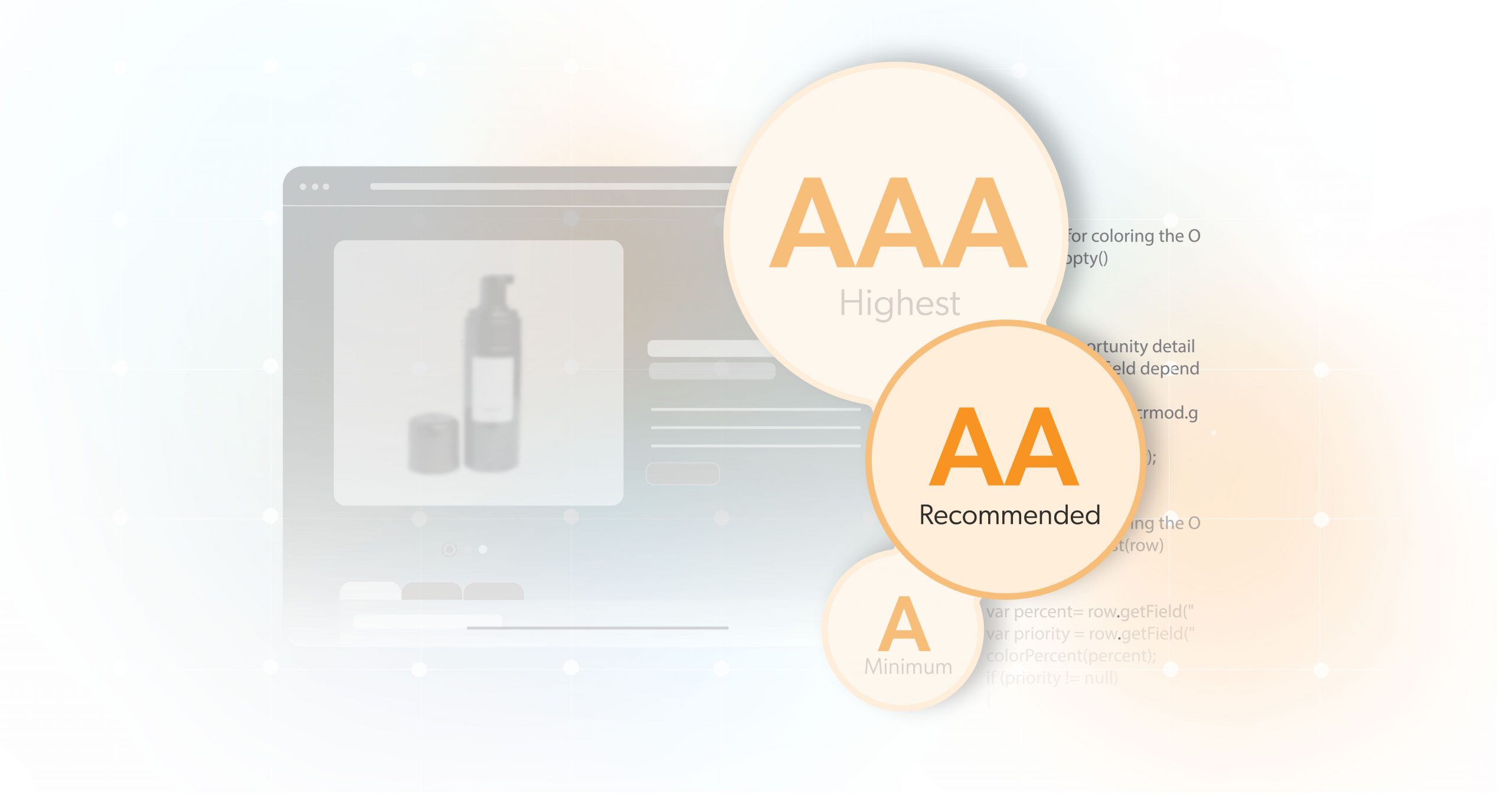
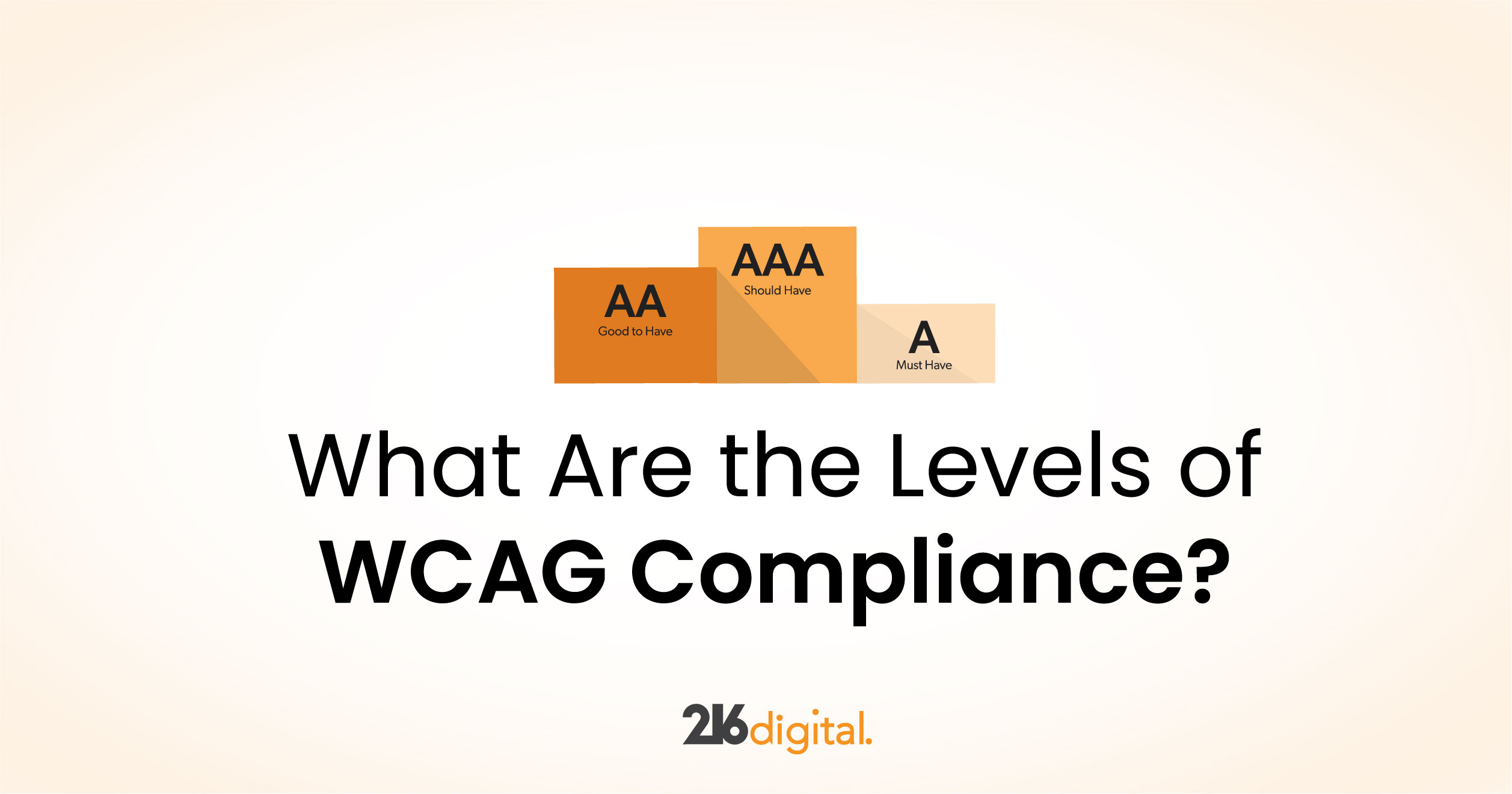
    There are three levels of WCAG compliance: A, AA, and AAA. Although this distinction is essential, it can be baffling. Therefore, we will discuss what WCAG A, AA, and AAA are, what they mean for your site, and which compliance level to aim for when becoming accessible.

    Learn more about WCAG and ADA Web Accessibility Standards

    What are the WCAG Levels?

    There are three compliance levels within WCAG 2.0: A, AA, and AAA. For a website to be accessible for all users, each level’s requirments must be met. The distinction between conformance levels gives an organized structure requiring an increasingly higher standard of accessibility. The three levels provide flexibility upon different situations. For example, in complex websites or advancing technologies, to maintain a minimum level of compliance.

    WCAG Foundation Principles

    Each level of compliance is based on the same four principles of web accessibility. These principles are the foundations for content on the web and anyone wanting to use it. WCAG 2.0 guidelines follow these four principles: perceivable, operable, understandable, and robust, referred to as POUR. Therefore, to understand each WCAG level, it is essential to start with their foundation. 

    Perceivable

    A website’s information and elements must be apparent to the user, leaving nothing undetectable or invisible. Most users perceive content and elements on a website through visuals. However, sound or touch are used alternatively for those unable to. 

    Operable

    A website’s interactive elements such as controls, buttons, and navigations should be operable by all users. Users must operate the interface elements by first identifying those elements and selecting those options. Most users can interact by clicking, tapping, swiping, or rolling. However, users who cannot physically click require voice commands or other assistive devices to engage with interactive elements. 

    Understandable

    Websites must be clear and concise in presenting predictable patterns for interaction and design. Users should have no issue comprehending the meaning or purpose of the presented information, including the function of buttons or other elements on a website. Everything should have a purpose and should be recognizable to all users.

    Robust

    Content must be robust enough for users to understand the function and reliably use various assisting technologies. 

    What Do the Different WCAG Conformance Levels Mean?

    As previously mentioned, WCAG 2.0 A, AA, and AAA all have specific criteria to be met. The requirements for a website include all interactive elements, content, and presentation following four principles of POUR. WCAG does provide guidelines for each level for what an accessible website should do, each level building upon the next. However, the specific actions each website must take to be considered accessible or reach a certain level of compliance are not outlined. The most significant difference between conformance levels A, AA, and AAA is what they mean for the users of each website. 

    WCAG 2.0 Level A: Minimal Compliance

    Level A covers the basic requirements and is the minimum degree of accessibility for a website to be accessible. Basic requirements to meet Level A do not impact the design or structure of the website. Failure to fulfill will result in an inaccessible website and will be impossible or exceedingly difficult for users with disabilities to use.

    Notable WCAG 2.0 Level A success criteria include:

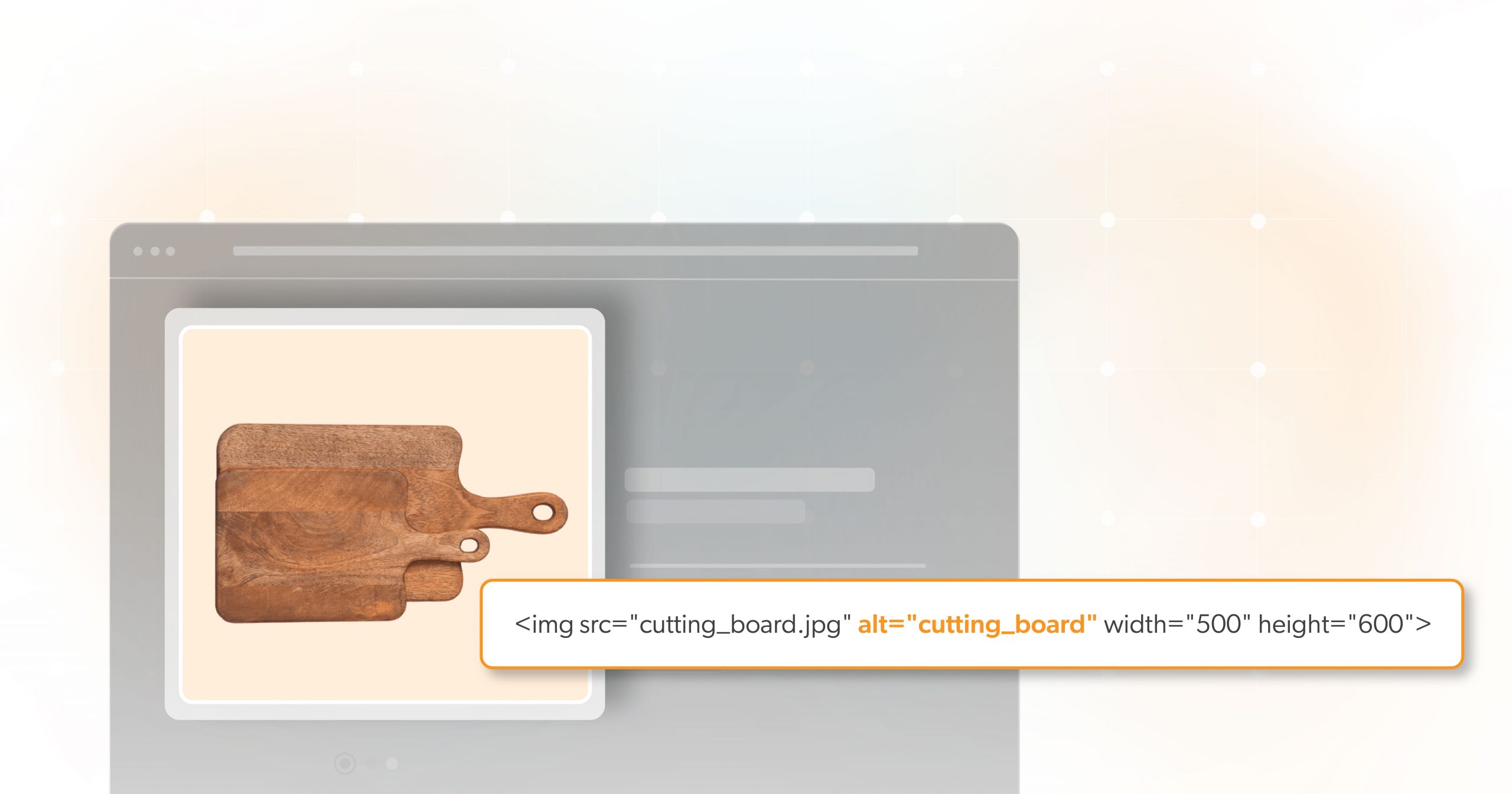
    • All non-text content such as audio, video, or images must have a text alternative such as an alt text within the website’s code or captions to serve as an equivalent source for information and context. 
    • Users can effectively navigate the website using only keyboard inputs.
    • Time-based media or video content must have a media alternative for text. 
    • Content and interface elements conveyed through presentation can be extracted and presented to the user in different modalities through assistive technologies or user agents.
    • Color is not used as the only visual means of conveying information, prompting a response, distinguishing an element, or indicating an action by the user.

    WCAG 2.0 Level AA: Acceptable Compliance

    Level A conformance is an excellent starting point. However, Level AA goes further by ensuring a website must be deemed usable and understandable for most people, regardless of ability. For this reason, level AA compliance has been the standard for accessibility and web accessibility laws globally, including the ADA and Section 508 in the United States. 

    Notable WCAG 2.0 Level AA success criteria include:

    • Text for content, captions, and text images can be resized without assistive technology up to 200% without loss of range of function.
    • Text or alt text is used to convey information or content rather than images with text.
    • More than one way to locate a web page within a website except when the web page is the result of a process or steps
    • Navigation elements are consistent throughout the site
    • Form fields have accurate labels

    WCAG 2.0 Level AAA: Completely Compliant

    Compliance at WCAG 2.0 is the highest level of accessibility and accommodates the maximum number of users. Unfortunately, it is also the most challenging level to achieve. While this level of compliance would be ideal, it is not necessary., W3 states they do not recommend or require Level AAA compliance for an entire website since it is impossible to achieve Level AAA from some content.

    Notable WCAG 2.0 Level AAA success criteria include:

    • Sign language interpretation for audio or video content
    • Visual presentation of text and images has a contrast ratio of at least 7:1 except for large text, logo, or visual decorative components with no significance to the content.
    • Timing is not an essential part of any activity on the website. 
    • The website does not contain anything that flashes more than three times in any one second.
    • Context-sensitive help is available.

    Can You Partially Meet a WCAG Level?

    A website must meet all of the accessibility compliance level’s guidelines. To state that a website is Level AA compliant, it must meet every requirement for both Level A and the Level AA guidelines. Therefore, if you meet the24 out of 25 requirements for Level AA, your site will still be deemed only a Level A. However, please do not use this not to try to aim for higher levels of compliance. The more accessible your site is, the better the user experience is for your users regardless of their abilities.

    What WCAG Level to Aim For

    Most websites and development teams aim to meet Level AA. The legally required level for legislation for specific sites is Level AA, including the ADA and Section 508. Suppose you want to strengthen your existing website by making it ADA compliant. In that case, it is best to accomplish the Level A criteria first before progressing to Level AA. A Level A compliance level is still more accessible than an inaccessible website.

    Closing

    Understanding the different levels of WCAG 2.0 and their requirements can serve as a guide when implementing accessibility into your website. Take the first steps towards becoming accessible. Testing and correcting accessibility issues will help better your business and mitigate expensive ADA lawsuits. 

    Integrating accessibility can seem intimidating at first, but 216digital  is here to help. If you would like more information on web accessibility or how to make your website accessible today, schedule a 15-minute complimentary consultation with our experts.

    Greg McNeil

    January 27, 2022
    WCAG Compliance
    Accessibility, WCAG, Website Accessibility, Website Accessibility Tools
Previous Page
1 … 3 4 5
216digital Scanning Tool

Audit Your Website for Free

Find Out if Your Website is WCAG & ADA Compliant


    216digital Logo

    Our team is full of expert professionals in Web Accessibility Remediation, eCommerce Design & Development, and Marketing – ready to help you reach your goals and thrive in a competitive marketplace. 

    216 Digital, Inc. BBB Business Review

    Get in Touch

    2208 E Enterprise Pkwy
    Twinsburg, OH 44087
    216.505.4400
    info@216digital.com

    Support

    Support Desk
    Acceptable Use Policy
    Accessibility Policy
    Privacy Policy

    Web Accessibility

    Settlement & Risk Mitigation
    WCAG 2.1/2.2 AA Compliance
    Monitoring Service by a11y.Radar

    Development & Marketing

    eCommerce Development
    PPC Marketing
    Professional SEO

    About

    About Us
    Contact

    Copyright 2024 216digital. All Rights Reserved.