216digital.
Web Accessibility

ADA Risk Mitigation
Prevent and Respond to ADA Lawsuits


WCAG & Section 508
Conform with Local and International Requirements


a11y.Radar
Ongoing Monitoring and Maintenance


Consultation & Training

Is Your Website Vulnerable to Frivolous Lawsuits?
Get a Free Web Accessibility Audit to Learn Where You Stand
Find Out Today!

Web Design & Development

Marketing

PPC Management
Google & Social Media Ads


Professional SEO
Increase Organic Search Strength

Interested in Marketing?
Speak to an Expert about marketing opportunities for your brand to cultivate support and growth online.
Contact Us

About

Blog

Contact Us
  • The Accessibility Lawsuit Trend No One’s Talking About

    In 2025, the world of digital accessibility is more complicated and urgent than ever. Lawsuits over website accessibility are on the rise, and they are changing in ways many businesses haven’t prepared for. In the past, companies would run automated scans and assume they were safe. But a troubling new trend has emerged. Plaintiffs are now basing their legal cases on problems that only show up through manual audits. If your website is relying on automated checks alone, you could be at serious legal risk. This article explains why this shift is happening, how automated scans fall short, and what you can do right now to stay ahead.

    Why Automated Scans Are No Longer Enough

    Over the years, many accessibility lawsuits pointed to errors found by automated tools. These tools check for missing alt text on images, low color contrast, and other basic issues. But today, plaintiffs’ lawyers and accessibility consultants are using manual audits to find deeper barriers. They test how a site really works for someone with a disability. They check if a keyboard-only user can reach all parts of a form, or if a screen reader can make sense of the menu. These tests go beyond surface-level coding problems.

    Now, many businesses find themselves sued even though they passed automated scans. Plaintiffs’ experts show detailed reports from manual audits to prove real-life barriers. Lawyers and judges are giving more weight to these reports, which show that a site may look fine to the naked eye but still fail to support people with disabilities. If businesses don’t adjust, they could face serious legal costs and brand damage.

    The Problem with Automated Scans

    Automated scans still have their place. They’re great for catching low-hanging fruit like missing alt attributes or basic color contrast issues. However, they’re just one piece of the accessibility puzzle. Here are a few examples:

    Contextual Understanding

    Tools can’t interpret how a page flows from one element to another or whether a user’s journey makes sense. For instance, an automated tool might confirm that a button has a label. But it won’t confirm if that label makes sense in context—for example, “Click Here” might be flagged as accessible by an automated tool but provides zero context to screen readers.

    Dynamic Interactive Elements

    If your site has pop-ups, carousels, or complex menus, automated scans might not catch when these elements create focus issues. A user relying on keyboard navigation might get stuck or lose track of where they are on the page.

    Human Navigation Patterns

    Real users might try multiple paths to accomplish tasks, like making a purchase or filling out a form. Automated tools generally test code in a linear fashion, missing real-world usage patterns.

    Advanced ARIA Techniques

    ARIA can help screen readers identify custom elements (like drop-downs, tabs, or modals). However, it must be implemented correctly. An automated tool might only check if ARIA attributes exist, not if they are used correctly.

    Recent Case Examples Where Automated Scans Failed

    Several businesses have learned this lesson the hard way. Although you might read about them in publications like The Wall Street Journal, three notable examples include:

    Kramer Knives

    A small business specializing in handcrafted knives faced a lawsuit from a visually impaired plaintiff. Kramer Knives believed they were compliant because an automated scan showed few errors. However, manual testing uncovered keyboard navigation issues and unclear labels, resulting in legal action.

    Electric Bike Technologies

    This e-commerce business was sued for alleged inaccessibility after a plaintiff discovered barriers during manual testing. The automated scans the company had relied on were insufficient, as they didn’t catch certain interactive elements that weren’t accessible to screen readers.

    Extract Labs

    This CBD and cannabinoid products seller thought their high automated score meant they were safe. However, manual audits found significant barriers—like form fields that weren’t properly labeled and pop-up modals that trapped keyboard focus—leading to a lawsuit.

    In each instance, the businesses thought they were protected. But what they missed—those deeper, functional issues—still made their sites inaccessible to real users and vulnerable in court.

    How This Shift Could Activate a Wave of Accessibility Lawsuits in 2025

    More Lawsuits, More Targets

    Since manual audits reveal issues that automated scans ignore, it’s easier than ever for plaintiffs to build a strong legal case. E-commerce stores, healthcare websites, and travel booking sites are especially vulnerable. Their complex forms and interactive features may pass an automated check but fail real-world testing.

    The Rise of Copycat Lawsuits

    Accessibility lawsuits now follow a pattern. According to recent statistics, 41% of federal court lawsuits in 2024 targeted businesses that had already been sued before. Plaintiffs’ law firms reuse winning strategies again and again. Once they find a successful argument, they apply it to many businesses across different industries. Small businesses without in-house accessibility knowledge become prime targets. They often settle quickly to avoid higher legal costs, which makes them even more attractive to plaintiffs. These copycat lawsuits can destroy a business’s reputation and finances.

    What Website Owners Need to Do Now

    Going Beyond Automated Scans

    It’s clear that if your only strategy is running an automated scan, you’re leaving yourself wide open. You need a multi-layered approach that combines automated scanning with manual audits for a complete look at your site. Manual audits test your website in the same way real users do. 

    Testers try to navigate using only a keyboard, or with a screen reader, or with special settings to assist low vision. This approach catches hidden barriers that an automated check will never see. If possible, individuals with disabilities should be involved in testing. Their feedback is invaluable because it reflects real-world challenges that neither a tool nor a developer might anticipate.

    Creating a Proactive Accessibility Strategy

    If you want to stay off a plaintiff’s radar, or at least have a strong defense if sued, take these steps:

    Conduct a Full Accessibility Audit

    Start with an initial assessment that combines automated tools and manual audits. Identify all major barriers to accessibility on your site.

    Remediate the Issues

    Fix the problems uncovered by your audit. This might involve updating code, redesigning certain elements for better contrast and clarity, or rethinking how your site’s navigation is structured.

    Implement Ongoing Monitoring

    Accessibility isn’t a “set it and forget it” project. Every time you add a new product, page, or feature, you could introduce new barriers. Schedule periodic reviews, both automated and manual or sign up for monitoring services like Accessibility Radar (a11y.Radar).

    Train Your Team

    Developers, designers, content writers—everyone on your team should know the basics of accessibility. Make sure they understand how to write alt text, use headings properly, and maintain keyboard-friendly navigation.

    How 216digital Can Help

    If you’re feeling overwhelmed, you’re not alone. It’s a big task to ensure your website is fully accessible, especially if you’re new to web accessibility. At 216digital, we focus on making accessibility practical and achievable for businesses of all sizes.

    Our experts will test your website the way actual users do. We don’t just point out problems. We help you fix them for the long run. Whether your site needs design tweaks, code adjustments, or content changes, we’ll guide you every step of the way.

    We don’t stop there. Accessibility standards change, and we stay on top of new guidelines. We provide ongoing support to make sure your site remains accessible. By combining automated scans with manual audits, our team delivers a full view of your accessibility status.

    Take Action Today

    Many business owners don’t think about website accessibility until they get served a lawsuit. By then, it may be too late. The better plan is to act now. Start with a thorough assessment and fix any barriers before a plaintiff turns them into a legal case. If you wait, you could face serious penalties, legal fees, and harm to your brand.

    To stay protected, schedule a free accessibility risk assessment with 216digital. Our team will show you how manual audits can spot hidden barriers, and we’ll guide you on how to fix them. Avoid the growing wave of lawsuits by making your site accessible today. After all, equal access is not just a legal issue—it’s the right thing to do for your customers and your business.

    Remember: automated scans are no longer enough. By embracing manual audits, you can protect your business, serve your customers better, and stay on the right side of the law. Don’t wait until you become the next lawsuit headline. Act now and secure your place as a leader in digital accessibility.

    Greg McNeil

    February 5, 2025
    Legal Compliance
    2025, Accessibility, Accessibility Audit, Accessibility testing, ADA Lawsuit, manual audit, Manual Testing, Web Accessibility
  • Choosing the Right Accessibility Audit for Your Goals

    Choosing the Right Accessibility Audit for Your Goals

    Ensuring your website is accessible to everyone, regardless of their abilities, is a legal obligation and a crucial aspect of good business practice. Digital accessibility is about creating an inclusive web experience, allowing everyone to navigate, interact, and engage with your online content without barriers. A vital component of this effort is accessibility testing, which identifies and helps rectify issues that could prevent users with disabilities from accessing your site. But with so many accessibility audits available, how do you choose the right one for your goals? 

    This post will explore different accessibility testing methods, their benefits, and how you can select the best approach to meet your needs.

    What is Accessibility Testing?

    Accessibility testing evaluates a website or digital product to ensure people of all abilities can use it. This includes users with visual, auditory, physical, speech, cognitive, or neurological disabilities. The goal is to identify any barriers that might prevent these users from fully interacting with your site, whether that’s difficulty reading text, navigating menus, or accessing multimedia content.

    Accessibility testing typically involves checking against established guidelines, such as the Web Content Accessibility Guidelines (WCAG), which provide a comprehensive framework for creating accessible web content. Testing can be done using various methods, from automated tools to manual assessments by accessibility experts.

    Why Your Website Needs Accessibility Testing

    Web accessibility is not just a matter of ethics—it’s a legal requirement in many regions, including the United States, where the Americans with Disabilities Act (ADA) mandates that websites be accessible to people with disabilities. Failing to meet these requirements can result in costly lawsuits, damage to your brand’s reputation, and loss of potential customers.

    Beyond legal compliance, accessibility testing is essential for ensuring a positive user experience for all visitors. An accessible website can increase your audience reach, improve customer satisfaction, and boost your SEO efforts, as search engines like Google favor easy-to-navigate and understand sites.

    Overview of Different Accessibility Testing Methods

    Several methods of accessibility testing exist, each with strengths and limitations. Understanding these methods will help you choose the right approach for your goals.

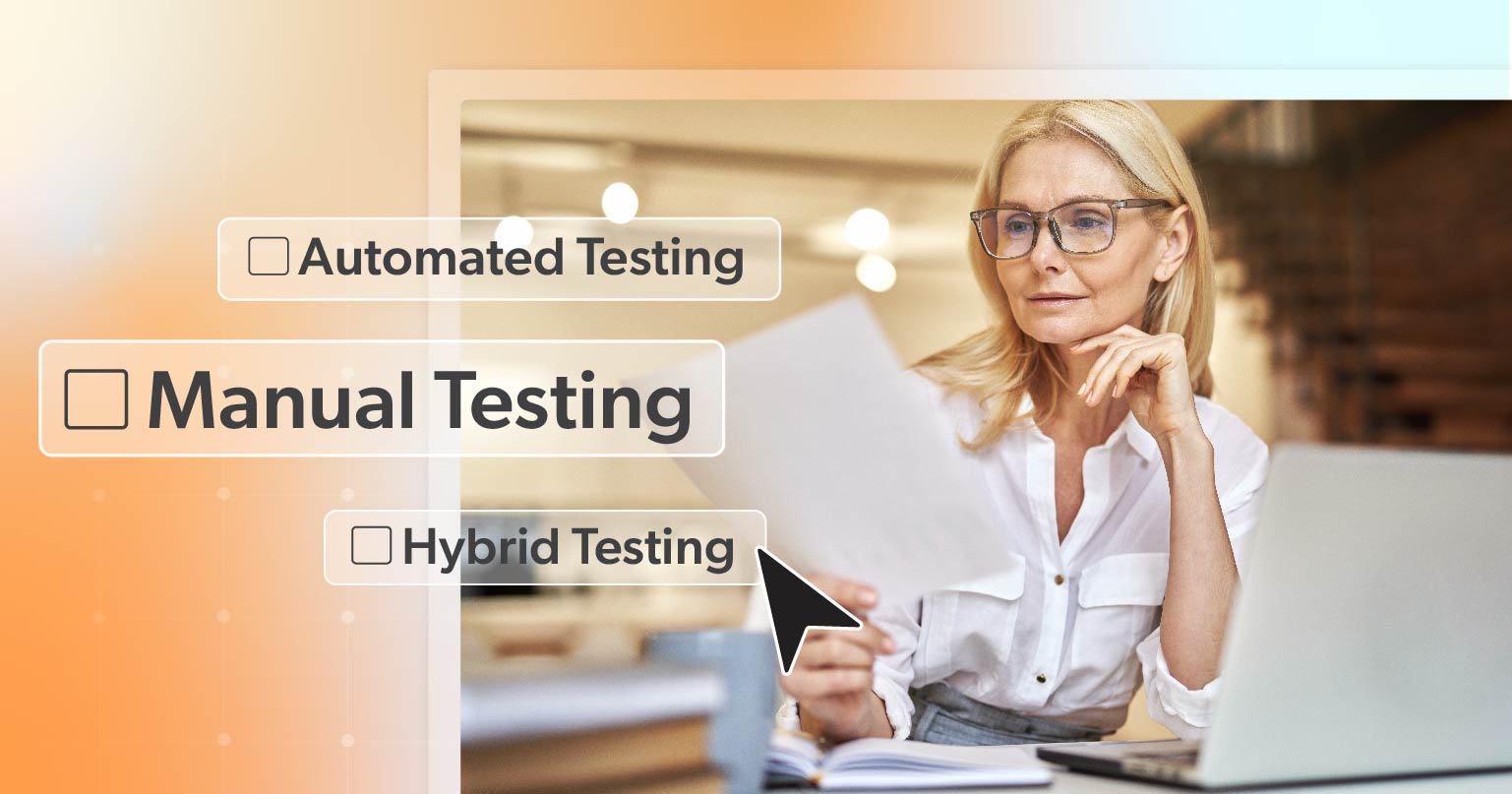
    Automated Testing

    Automated accessibility testing uses software tools to scan your website for accessibility issues. These tools can quickly identify common problems, such as missing alt text, improper heading structures, or color contrast issues.

    Pros: Automated testing is fast, cost-effective, and can cover large portions of your site in a short amount of time. It’s an excellent first step in identifying apparent issues.

    Cons: While automated tools can catch many issues, they only cover 30-40% of accessibility guidelines. They can miss more subtle or complex problems that require human judgment.

    Manual Testing

    Manual testing involves human testers evaluating your website’s accessibility by simulating users’ experience with disabilities. This might include using screen readers, navigating with a keyboard, or testing for cognitive load.

    Pros: Manual testing is thorough and can identify issues that automated tools miss, such as keyboard navigation problems, improper use of ARIA (Accessible Rich Internet Applications), or issues with interactive elements like forms and buttons.

    Cons: Manual testing is time-consuming and more expensive than automated testing. Expertise and experience are required to assess a site’s accessibility accurately.

    Hybrid Testing

    Hybrid testing combines automated and manual approaches to determine your site’s accessibility comprehensively. Automated tools are used to quickly identify issues, while manual testing addresses more complex problems.

    Pros: Hybrid testing offers the best of both worlds—speed and thoroughness. It ensures that no stone is left unturned in your accessibility audit.

    Cons: While more comprehensive, hybrid testing can be more costly and time-consuming than automated tools alone.

    Choosing the Right Accessibility Audit for Your Goals

    When selecting an accessibility audit, consider your specific goals, resources, and the complexity of your website. Here are a few scenarios to help guide your decision:

    • Initial Compliance Check: If you’re new to accessibility and looking for a quick overview of your site’s compliance with basic guidelines, an automated audit might be a good starting point. This can help you identify low-hanging fruit that can be quickly addressed.
    • Comprehensive Accessibility Review: For businesses that need a thorough assessment of their website’s accessibility, a hybrid audit combining both automated and manual testing is ideal. This approach will provide a complete picture of your site’s strengths and weaknesses.
    • Ongoing Monitoring and Maintenance: If your goal is to maintain accessibility over time and avoid compliance issues, consider an ongoing monitoring service that regularly checks your site for new issues as content and technology change.

    Overview of 216digital’s Accessibility Services

    At 216digital, we understand that navigating the complexities of digital accessibility can be overwhelming. That’s why we offer a structured approach to accessibility audits through our Phase 1 Risk Mitigation and Phase 2 Real World Accessibility services.

    Phase 1: Risk Mitigation Service

    This initial phase focuses on identifying and addressing high-risk accessibility issues that could expose your business to legal action. Using automated tools and expert manual review, we prioritize the most critical issues that need immediate attention.

    Phase 2: Real-World Accessibility Service

    In Phase 2, we dive deeper into the user experience, focusing on real-world scenarios and how users interact with your site. This phase includes extensive manual testing to uncover complex issues and provides actionable recommendations for improving your site’s accessibility.

    How Combining Automated and Manual Testing Enhances Accessibility

    A combined approach to accessibility testing offers a more robust and reliable audit process. Automated tools quickly handle large-scale issues, but manual testing ensures your site meets the nuanced needs of all users. By integrating both methods, you can create a more accessible and user-friendly website, reducing the risk of missed issues and ensuring a more inclusive experience.

    216digital’s a11y.Radar Service for Ongoing Monitoring

    Maintaining accessibility is an ongoing process. 216digital’s a11y. Radar service continuously monitors your website, automatically scanning for new accessibility issues as they arise. This service helps ensure that your site complies with accessibility guidelines over time, catching potential problems before they become costly liabilities.

    a11y.Radars Key Features include:

    • Dynamic Dashboard Display
    • Compliance Scans
    • Detailed Issues Reports
    • Issues Over Time
    • Manual Testing Reports
    • Email Alerts
    • Current Web Compliance Status

    How a11y.Radar Helps Prevent Frivolous ADA Lawsuits and Maintains Accessibility Compliance

    One of the biggest concerns for businesses today is the threat of frivolous ADA lawsuits. These lawsuits can be costly and time-consuming, even if the claims are unfounded. 216digital’s a11y. Radar service acts as a safeguard, continuously monitoring your site for compliance and helping you address issues before they lead to legal action. By keeping your site up-to-date with accessibility standards, a11y.Radar protects you from lawsuits and ensures a better user experience for all visitors.

    Conclusion

    Choosing the proper accessibility audit is crucial for ensuring your website meets the needs of all users while staying compliant with legal requirements. Whether you’re just starting with accessibility or looking for a comprehensive review, understanding the different testing methods and services available will help you make an informed decision.

    At 216digital, we can help develop a strategy to integrate WCAG 2.1 compliance into your development roadmap on your terms. To learn more about how our experts can help you confidently create and maintain an accessible website that meets both your business goals and the needs of your users, schedule a complementary ADA Strategy Briefing today.

    Greg McNeil

    August 8, 2024
    Testing & Remediation
    Accessibility Audit, Accessibility testing, digital accessibility, Web Accessibility, Web Accessibility Solution, Website Accessibility Tools
Previous Page
1 2

Find Out if Your Website is WCAG & ADA Compliant


    216digital Logo

    Our team is full of expert professionals in Web Accessibility Remediation, eCommerce Design & Development, and Marketing – ready to help you reach your goals and thrive in a competitive marketplace. 

    216 Digital, Inc. BBB Business Review

    Get in Touch

    2208 E Enterprise Pkwy
    Twinsburg, OH 44087
    216.505.4400
    info@216digital.com

    Support

    Support Desk
    Acceptable Use Policy
    Accessibility Policy
    Privacy Policy

    Web Accessibility

    Settlement & Risk Mitigation
    WCAG 2.1/2.2 AA Compliance
    Monitoring Service by a11y.Radar

    Development & Marketing

    eCommerce Development
    PPC Marketing
    Professional SEO

    About

    About Us
    Contact

    Copyright 2024 216digital. All Rights Reserved.