With 94.8 percent of the top one million homepages still showing detectable WCAG failures according to 2025 WebAIM data, the online environment remains a high-risk area for businesses. In 2025 alone, 5,114 ADA digital accessibility lawsuits were filed in the US. This highlights a critical gap between basic intentions and actual compliance. To secure your digital presence, understanding the specific WCAG 2.2 level AA requirements isn’t just a technical goal; it’s a necessary shield against increasing litigation and a commitment to serving the 1.3 billion people globally who live with disabilities.
You likely feel the weight of these shifting standards and the confusion that often follows dense W3C documentation. It’s difficult to keep pace when the rules change and the legal stakes are this high. This guide simplifies that complexity, offering you a clear path to master the technical nuances of the 2.2 standard to protect your business and foster genuine inclusion. We’ll break down the nine new success criteria, clarify how they differ from version 2.1, and provide an actionable checklist for ongoing monitoring to ensure your site stays compliant throughout 2026 and beyond.
Key Takeaways
- Recognize why WCAG 2.2 Level AA is the essential benchmark for digital accessibility and proactive legal risk management in 2026.
- Gain technical clarity on the nine new success criteria, such as Focus Not Obscured and Dragging Movements, to align your site with current WCAG 2.2 level AA requirements.
- Move beyond basic automated scans by integrating manual screen reader testing into your remediation workflow to identify complex barriers.
- Utilize a structured checklist to audit core UI components, ensuring text alternatives and color contrast ratios meet rigorous conformance standards.
- Develop a strategy for continuous oversight to prevent technical decay and ensure long-term stability as your digital presence expands.
What is WCAG 2.2 Level AA and Why Does It Matter in 2026?
The Web Content Accessibility Guidelines (WCAG) serve as the technical backbone for digital inclusion worldwide. On December 12, 2024, the W3C finalized version 2.2, marking a significant shift in how we approach user interaction. For business owners, 2026 represents a critical turning point where passive compliance is no longer a viable strategy. The guidelines are organized into three tiers of conformance. Level A addresses the most basic accessibility issues but fails to meet the legal thresholds required for most commercial entities. Level AAA represents the highest possible standard, often reserved for specialized or academic environments. Level AA remains the definitive business standard, balancing technical feasibility with a high degree of user independence.
Most regulatory frameworks, including Section 508 and the updated ADA Title II rules, specifically mandate Level AA conformance. By 2026, the global legal environment has shifted to treat digital accessibility not as a courtesy, but as a fundamental civil right. Failing to meet WCAG 2.2 level AA requirements exposes your organization to significant liability, as regulators and plaintiffs’ attorneys now view anything less as a discriminatory barrier to access. Proactive alignment with these standards isn’t just about avoiding penalties; it’s about securing your market share among the 1.3 billion people globally living with disabilities. For a deeper understanding of how these standards are structured and applied, our web content accessibility guidelines WCAG 2026 comprehensive reference provides the technical detail and strategic context your team needs.
The Relationship Between WCAG 2.2 and the ADA
While the Americans with Disabilities Act doesn’t explicitly name a version of the guidelines for private businesses, US courts and the Department of Justice consistently apply Level AA as the de facto benchmark. Relying on outdated 2.1 standards leaves a gap in your defense. Many organizations now face aggressive demand letters because they haven’t addressed the nine new success criteria introduced in the latest update. Utilizing professional ADA web accessibility compliance services is the most effective way to identify these vulnerabilities before they result in a legal filing. This proactive stewardship transforms your digital presence from a potential liability into a protected asset.
The POUR Principles: The Foundation of Accessibility
To understand the WCAG 2.2 level AA requirements, one must grasp the four pillars that support all accessibility efforts. These principles ensure that content is functional for everyone, regardless of the assistive technology they use.
- Perceivable: Users must be able to process the information presented. This means providing text alternatives for non-text content and ensuring color contrast is sufficient for those with low vision.
- Operable: The interface cannot require interactions that a user cannot perform. Navigation must be keyboard-accessible and provide enough time for users to complete tasks without frustration.
- Understandable: Content and UI operations must be clear. Users shouldn’t be confused by unpredictable behavior or complex language that obscures the site’s purpose.
- Robust: Your code must be clean enough to be interpreted by current and future assistive technologies, such as screen readers or voice control software, ensuring long-term stability.
The 9 New Success Criteria in WCAG 2.2
The transition from version 2.1 to 2.2 introduced nine distinct success criteria designed to bridge gaps for users with motor, cognitive, and visual impairments. While many organizations are still catching up to earlier standards, the official WCAG 2.2 guidelines establish a more granular level of protection for the end user. These additions prioritize real-world usability, ensuring that modern web features don’t become modern barriers. To meet WCAG 2.2 level AA requirements, developers must address several core interaction issues. For a plain-language breakdown of each requirement and its implementation implications, our guide to WCAG 2.2 success criteria explained for 2026 compliance is an essential resource for development teams and business owners alike:
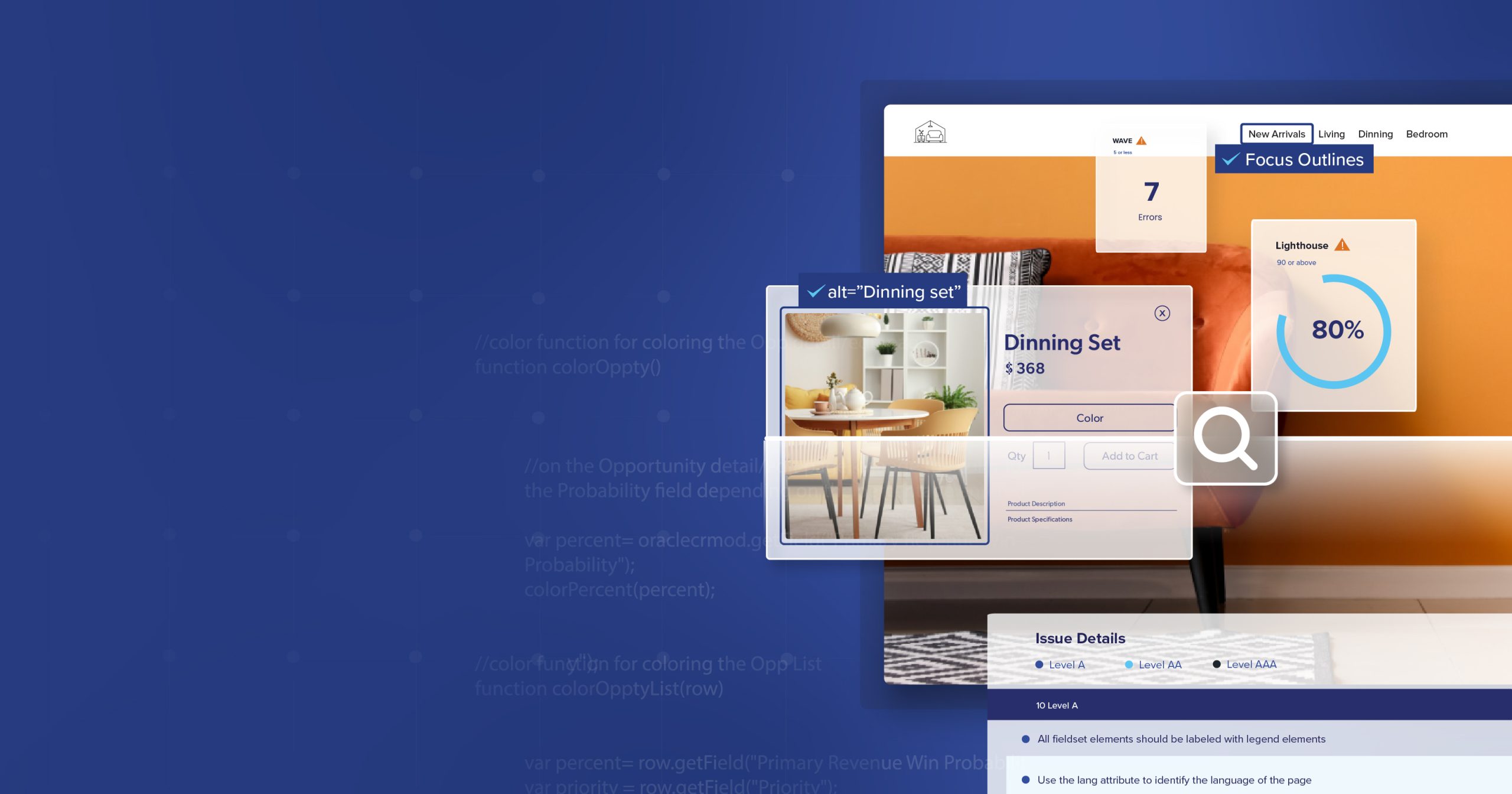
- Focus Not Obscured (Minimum): Ensures that when an item receives keyboard focus, it isn’t hidden by sticky headers, footers, or other overlapping UI elements.
- Dragging Movements: Mandates that any action requiring a dragging motion (like a slider or kanban board) also has a simple, single-pointer alternative like clicking or tapping.
- Target Size (Minimum): Establishes a baseline of 24 by 24 CSS pixels for interactive elements to prevent “fat-finger” errors on mobile devices.
- Consistent Help: Requires that help mechanisms, such as contact links or self-service FAQs, are located in the same relative place across multiple pages.
For mobile users, the Target Size requirement is a significant shift. It acknowledges that users with limited dexterity or those operating in mobile environments need a predictable clickable area. Similarly, the Consistent Help criterion recognizes that users shouldn’t have to hunt for support on every new page. This predictability is vital for users who rely on muscle memory or specific navigation patterns to find assistance.
Improving Cognitive Accessibility
The latest WCAG 2.2 level AA requirements place a heavy emphasis on reducing cognitive load during complex tasks. Accessible Authentication is a requirement to allow for password managers or biometrics so users aren’t forced to solve puzzles or memorize complex strings to log in. Redundant Entry further streamlines the experience by requiring that information previously provided in a multi-step process is either auto-filled or available for selection. These changes respect the user’s mental energy, making the digital environment far more inclusive for those with memory-related disabilities or learning challenges.
Enhancing Focus and Interaction
Visual indicators are now under stricter scrutiny to support keyboard-only users. Focus Appearance guidelines ensure that the keyboard focus indicator is clearly visible and maintains high contrast against the background, though the most rigorous versions of this fall under Level AAA. Interestingly, version 2.2 also saw the removal of Success Criterion 4.1.1 (Parsing). Because modern browsers and assistive technologies now handle code parsing errors internally, this requirement became obsolete, allowing teams to focus on more impactful remediations. If these technical nuances feel overwhelming, a professional accessibility consultation can help your team navigate these specific implementation challenges with confidence.
The Level AA Conformance Checklist
Achieving full alignment with the WCAG 2.2 level AA requirements requires a methodical approach that addresses both legacy standards and the latest updates. This checklist serves as your tactical roadmap for identifying and remediating common barriers that frequently trigger legal scrutiny. While the nine new criteria represent the latest frontier, the core pillars of Level AA remain the primary targets for digital accessibility litigation. Use these steps to evaluate your current standing and prioritize your remediation efforts.
- Step 1: Audit Text Alternatives. Every non-text element, including images, icons, and infographics, must have descriptive alt text. Decorative images should be programmatically hidden from screen readers to prevent cognitive clutter.
- Step 2: Verify Color Contrast. Standard text must maintain a contrast ratio of at least 4.5:1 against its background. For large text and essential UI components like buttons or form borders, a ratio of 3:1 is required to support users with low vision.
- Step 3: Test Keyboard Navigation. Your site must be fully navigable without a mouse. Ensure that the focus order is logical and that users don’t encounter “keyboard traps” where they become stuck in a specific element, such as a modal or a complex form.
- Step 4: Review Form Labeling and Error Identification. Every form field needs a clear, persistent label. When a user makes a mistake, the system must identify the error in text and provide specific instructions on how to correct it.
- Step 5: Validate Responsiveness and Zoom. Content must remain fully functional and legible when scaled to 400 percent zoom. This “reflow” ensures that users on mobile devices or those with significant visual impairments can access information without horizontal scrolling.
Visual and Audio Requirements
Multimedia content is a high-stakes area for compliance. All pre-recorded audio content requires accurate captions to serve users who are deaf or hard of hearing. Similarly, videos with visual information not conveyed in the audio track must include audio descriptions. It’s also vital to ensure that text can be resized up to 200 percent without the use of assistive technology and without losing any underlying functionality or content. These steps protect the experience for users with diverse sensory needs.
Navigation and Input Predictability
Predictability is the foundation of an operable interface. You must provide multiple ways for users to find a web page, such as a traditional navigation menu combined with a search bar or a comprehensive site map. When a user navigates via keyboard, the focus must move in an order that mirrors the visual layout. If an input error occurs, don’t just flag the mistake. Provide helpful suggestions for correction, such as indicating the specific format required for a date or a phone number, to reduce frustration and ensure successful completion of the task.

Auditing and Remediation: Moving Beyond Automated Scans
Automated accessibility scanners are a valuable starting point, but they typically only identify 30 to 40 percent of total barriers. While these tools excel at catching technical errors like missing alt text or low color contrast, they cannot interpret the human experience. A software tool can confirm an image has a description, but it can’t tell you if that description is helpful or relevant to the page’s context. To truly meet WCAG 2.2 level AA requirements, you must engage in manual testing using industry-standard screen readers such as NVDA, JAWS, and VoiceOver. This process uncovers complex logic errors and navigation hurdles that automated algorithms simply miss.
One of the most significant risks businesses face today is the “overlay trap.” Many companies turn to automated accessibility overlays as a quick fix, hoping for instant compliance. These scripts often hinder the experience for people with disabilities by interfering with their own assistive technology. From a legal standpoint, overlays fail to provide protection. Plaintiffs’ attorneys now frequently target sites using these tools because they signal a lack of deep-domain remediation. Genuine inclusion requires fixing the underlying source code, not applying a superficial band-aid that creates more problems than it solves.
Phase 1: Risk Mitigation
Immediate threat reduction focuses on identifying the “low-hanging fruit” that most often triggers demand letters. High-traffic pages like your homepage, checkout process, and contact forms are the primary targets for litigation. By prioritizing these critical paths, you can address the most visible barriers quickly. Our team at 216digital specializes in this type of proactive stewardship, ensuring your most vital user journeys are protected. If you’re unsure where your site stands, our ADA Risk Mitigation (Phase 1) service provides the expert auditing needed to identify and neutralize these immediate risks.
Developing a Remediation Roadmap
Remediation must be a structured, ongoing process rather than a one-time event. We categorize issues by severity: Blockers stop a user entirely, while Critical and Major issues make tasks significantly harder. By integrating these corrections into your existing development sprint cycles, you ensure that accessibility remains a priority without disrupting your roadmap. Documenting every step of this journey is essential. Maintaining a record of your remediation progress demonstrates a “good faith effort” to regulators and provides a clear defense if your digital presence is ever challenged. This methodical approach builds a foundation for long-term stability and inclusive growth.
Sustaining Compliance with Ongoing Monitoring
Digital accessibility isn’t a destination; it’s a state of continuous operational readiness. Achieving alignment with WCAG 2.2 level AA requirements through an initial audit is a significant milestone, but it’s only the beginning. Digital assets are dynamic, and every new product entry, blog post, or structural update introduces the risk of “accessibility decay.” Without a rigorous system for oversight, a compliant site can quickly become a liability as new content inadvertently breaks established protocols or introduces new barriers for assistive technology users.
A modern digital strategy must treat accessibility as a living requirement. This involves shifting from reactive fixes to proactive stewardship. Training your content and development teams is a vital component of this shift. When your staff understands how to write descriptive alt text or structure a logical heading hierarchy, they prevent barriers from being created in the first place. This internal alignment reduces the long-term burden on your technical team and ensures that inclusive design becomes a natural extension of your brand’s workflow.
Introducing a11y.Radar: Your Compliance Shield
To address the challenges of technical decay, we developed a11y.Radar Ongoing Monitoring. This service provides a protective shield for your business by offering 24/7 oversight of your digital presence. Unlike standard automated tools that often miss nuanced logic errors, a11y.Radar combines high-frequency scanning with expert manual review. This dual approach ensures that your site remains in constant alignment with the latest success criteria. By detecting and flagging issues in real time, you can implement corrections before they escalate into legal threats or frustrate your customers, significantly reducing the total cost of ownership for your digital platform.
Building an Inclusive Brand for 2026
Positioning your business for success in 2026 requires recognizing the substantial return on investment that comes with accessibility. With 1.3 billion people globally living with some form of disability according to World Health Organization data, providing an inclusive experience opens your doors to a massive, often underserved market. There is also a powerful overlap between accessibility and performance. Clean, semantic code that meets WCAG standards directly improves technical SEO, enhances mobile usability, and speeds up page load times. By committing to these standards, you aren’t just checking a box for regulators; you’re building a more resilient, high-performing brand that serves every user with excellence.
Don’t leave your organization’s digital health to chance. Secure your future by partnering with experts who understand the high stakes of regulatory alignment. Contact 216digital for a WCAG 2.2 audit and remediation plan to ensure your business remains protected and inclusive throughout 2026 and beyond.
Securing Your Digital Presence for the Future
Aligning your organization with WCAG 2.2 level AA requirements is a strategic necessity that goes beyond simple technical checklists. You’ve seen that automated scans are merely the first step; true protection requires rigorous manual testing and a rejection of ineffective overlays. By prioritizing the nine new success criteria and establishing a structured remediation roadmap, you transform your digital presence from a potential legal liability into a high-performing asset that welcomes all users.
Since 1999, 216digital has served as a shield for businesses navigating complex digital standards. Our team specializes in high-stakes ADA risk mitigation, utilizing our proprietary a11y.Radar monitoring platform to ensure your compliance never decays. Peace of mind comes from professional excellence and vigilant, expert-led oversight. Protect your business with a professional WCAG 2.2 audit from 216digital today. Taking these proactive steps now ensures your brand remains resilient, inclusive, and legally sound for years to come.
Frequently Asked Questions
Is WCAG 2.2 Level AA legally required for my business?
WCAG 2.2 Level AA is the current technical recommendation from the W3C and serves as the definitive benchmark for future-proofing your business against litigation. While the Department of Justice has formalized WCAG 2.1 Level AA for state and local governments, private entities are held to a standard of “effective communication” under the ADA. Because version 2.2 is backward compatible, meeting these updated criteria ensures you satisfy all previous requirements while addressing modern user needs.
What is the difference between WCAG 2.1 and WCAG 2.2?
The primary difference lies in the addition of nine new success criteria that specifically address mobile interaction, cognitive accessibility, and keyboard navigation. Version 2.2 also removed the “Parsing” requirement, as modern browsers now handle code errors internally. These updates ensure that your digital assets remain functional for users with diverse motor and cognitive abilities who were less protected under the 2.1 standard. For a complete breakdown of how these versions compare and what each criterion means for your implementation, consult our comprehensive reference guide to web content accessibility guidelines WCAG.
Can I use an accessibility overlay to meet WCAG 2.2 requirements?
Accessibility overlays cannot satisfy WCAG 2.2 level AA requirements because they fail to correct the underlying source code of your website. These automated scripts often interfere with native assistive technologies like screen readers, creating more barriers than they solve. Relying on an overlay leaves your organization vulnerable to demand letters and lawsuits, as they are widely recognized by legal professionals as insufficient for genuine ADA compliance.
How long does a WCAG 2.2 Level AA audit typically take?
A comprehensive audit typically spans two to four weeks depending on the complexity and size of your digital ecosystem. This timeframe allows for a combination of automated scanning and rigorous manual testing by accessibility experts. Rushing this process often results in overlooked vulnerabilities, so a methodical approach is necessary to ensure every functional path is verified for compliance.
Do I need to meet Level AAA to be safe from ADA lawsuits?
You don’t need to meet Level AAA to protect your business from the vast majority of ADA-related legal threats. Level AA is the recognized industry standard for commercial and governmental websites, balancing accessibility with technical feasibility. While Level AAA represents the highest degree of inclusion, it’s often impossible for complex commercial sites to achieve and maintain that level across all content types.
What happens if my website is not WCAG 2.2 compliant?
Non-compliance exposes your organization to significant legal risks, including costly demand letters and federal lawsuits. Beyond the legal stakes, an inaccessible site alienates a substantial portion of the market and negatively impacts your brand reputation. You also lose the search engine optimization and user experience benefits that naturally result from following WCAG 2.2 level AA requirements.
Does WCAG 2.2 apply to mobile apps as well as websites?
Yes, the principles of WCAG 2.2 apply to mobile applications and other non-web software through the W3C’s supporting documentation. Many of the new criteria in version 2.2, such as Target Size and Dragging Movements, were specifically designed to improve the experience on touch-screen devices. Ensuring your mobile app follows these standards is critical for providing a consistent, inclusive experience across all digital touchpoints.
How often should I conduct an accessibility audit?
You should conduct a formal accessibility audit at least once per year or whenever you implement significant structural updates to your site. Because content is dynamic, accessibility can decay as new pages or features are added. Continuous monitoring platforms provide ongoing protection between these deep-dive audits, ensuring that your compliance status remains stable as your business grows.