216digital.
Web Accessibility

ADA Risk Mitigation
Prevent and Respond to ADA Lawsuits


WCAG & Section 508
Conform with Local and International Requirements


a11y.Radar
Ongoing Monitoring and Maintenance


Consultation & Training

Is Your Website Vulnerable to Frivolous Lawsuits?
Get a Free Web Accessibility Audit to Learn Where You Stand
Find Out Today!

Web Design & Development

Marketing

PPC Management
Google & Social Media Ads


Professional SEO
Increase Organic Search Strength

Interested in Marketing?
Speak to an Expert about marketing opportunities for your brand to cultivate support and growth online.
Contact Us

About

Blog

Contact Us
  • Navigating International Accessibility Laws

    Navigating International Accessibility Laws

    In today’s digital age, having an online presence is crucial for businesses of all sizes. But with the global reach of the internet comes a maze of regulations and standards, especially when it comes to web accessibility. If you’re a website owner or content creator in the United States, you might wonder how international accessibility laws affect your business. This article will walk you through the basics of these laws, help you understand which ones apply to your online business, and explain why staying compliant is not just about following the rules but also about expanding your audience and boosting your brand’s reputation.

    What Are the Different International Accessibility Laws?

    When it comes to accessibility laws, different countries have their own rules and guidelines to ensure that websites are accessible to everyone, including people with disabilities. Let’s take a look at some of the key international laws and what they cover:

    The European Accessibility Act (EAA)

    The EAA is a significant law in the European Union that came into effect in 2019. It aims to make products and services more accessible to people with disabilities. For online businesses, this means ensuring that websites, apps, and e-commerce platforms are usable by everyone. The EAA covers a broad range of industries, from banking services to e-books and online shopping. If your business operates or sells products in the EU, compliance with the EAA is a must.

    The Accessibility for Ontarians with Disabilities Act (AODA)  

    In Canada, the AODA sets out guidelines to make Ontario more accessible by 2025. It applies to both public and private sectors, requiring businesses to ensure their websites are accessible to people with disabilities. This includes providing text alternatives for images, ensuring that website navigation is straightforward, and making online forms accessible. If your online business targets customers in Ontario, following AODA guidelines is essential.

    The UK Equality Act 2010  

    The UK Equality Act is a comprehensive piece of legislation that protects people from discrimination in the workplace and wider society. For online businesses, this means ensuring that websites are accessible to everyone, regardless of their abilities. The law covers all aspects of web accessibility, including content readability, keyboard navigation, and screen reader compatibility. If your business has customers in the UK, the Equality Act’s requirements apply to you.

    The Web Content Accessibility Guidelines (WCAG)  

    While not a law, WCAG is a set of guidelines developed by the World Wide Web Consortium (W3C) that is widely used as the global standard for web accessibility. Many international laws, including those mentioned above, reference WCAG as the benchmark for accessibility. WCAG provides a clear roadmap for making web content more accessible, covering everything from text alternatives to visual content, to ensuring that your website works well with assistive technologies.

    What International Laws Apply to Your Online Business?

    Understanding which international accessibility laws apply to your online business can feel overwhelming, especially if you’re targeting customers from different parts of the world. Here’s a simple way to figure it out:

    • Identify Your Audience: Start by identifying where your customers are located. If you have a global audience, it’s important to consider the accessibility laws in each region. For example, if you sell products in the EU, the EAA will apply to your business.
    • Assess Your Operations: If your business operates in multiple countries, you’ll need to comply with the accessibility laws in each of those regions. This might include following the EAA for the EU, AODA for Ontario, and the UK Equality Act for the UK. If your business is based solely in the United States but reaches customers globally, you should still be mindful of these laws to avoid potential legal issues.
    • Check the Legal Requirements: Different countries have different thresholds for when their laws apply to foreign businesses. For instance, if your business has a significant presence in the EU, you are required to comply with the EAA. Similarly, if you provide goods or services in Ontario, Canada, the AODA will apply.

    Do These Laws Apply to Your Online Business?

    The big question for many website owners and content creators is whether these international laws actually apply to their online business. The answer depends on a few factors:

    • Business Location: If your business is based in a country with specific accessibility laws (like the EU or Canada), you’re automatically required to comply with those laws.
    • Global Reach: Even if your business is based in the United States, you might still be subject to international accessibility laws if you sell products or services to customers in other countries. For example, if you ship products to the UK or have a website that targets European customers, you need to comply with the relevant accessibility laws.
    • Legal Consequences: Non-compliance with international accessibility laws can lead to fines, legal action, and damage to your brand’s reputation. Even if you’re not legally required to follow these laws, doing so voluntarily can help you avoid these risks and demonstrate that you value inclusivity.

    The Importance of Web Compliance and Accessibility

    Web compliance and web accessibility aren’t just about avoiding legal trouble—they’re also about doing the right thing and expanding your reach. By making your website accessible, you’re ensuring that everyone, including people with disabilities, can access your content and services. This can lead to increased customer satisfaction, a larger audience, and a stronger brand reputation.

    At 216digital, we understand the complexities of navigating international accessibility laws. Our web remediation services are designed to help your business stay compliant and accessible, no matter where your customers are located. From initial audits to ongoing support, we offer a comprehensive approach to web compliance that ensures your website meets the latest standards and guidelines.

    Whether you’re just starting to explore international accessibility laws or need help bringing your website up to code, 216digital is here to guide you through the process. Our team of experts stays up-to-date with the latest regulations and guidelines, ensuring that your website is not only compliant but also user-friendly for everyone.

    Conclusion

    Navigating international accessibility laws might seem daunting, but with the right approach, it can be manageable and even beneficial for your business. By understanding the different laws, knowing which ones apply to your online business, and taking steps to ensure compliance, you can avoid legal pitfalls, expand your audience, and enhance your brand’s reputation.

    If you’re ready to take the next step in making your website accessible and compliant with international laws, 216digital is here to help. Our web remediation services are tailored to your business needs, ensuring that you meet the necessary standards while creating an inclusive online experience for all users. Don’t wait—let’s work together to make your website accessible to everyone, everywhere.
    Contact us today to schedule a complementary ADA Strategy Briefing so that you can confidently take this next step into digital accessibility.

    Greg McNeil

    August 7, 2024
    Legal Compliance
    accessibility laws, ADA Compliance, digital accessibility, International Accessibility Laws, Web Accessibility, Website Accessibility
  • Why Screen Overlays Can Harm Your Website and Business

    Why Screen Overlays Can Harm Your Website and Business

    In today’s digital world, having a website that’s accessible to everyone is not just a nice-to-have; it’s essential. As a business owner, you want to ensure your website is user-friendly for all potential customers. However, when it comes to web accessibility, there’s a common misconception that screen overlays are a quick fix. Unfortunately, these overlays can create more problems than they solve. In this article, we’ll explore why screen overlays can actually hinder users with visual impairments and how they can put your business at risk for an ADA lawsuit.

    What Are Screen Overlays?

    Screen overlays are tools that can be added to a website to provide accessibility features. These overlays are designed to make a website more usable for people with disabilities by adding features like text-to-speech, color contrast adjustments, and font size changes. While the intention behind these tools is good, their effectiveness and actual impact are often questionable.

    Why Screen Overlays Can Be Problematic

    1. They Can Create More Barriers

    Screen overlays might seem like a helpful solution, but they often end up complicating things. For individuals who rely on assistive technologies such as screen readers, overlays can interfere with how these tools work. Screen readers, for instance, may not interact well with overlays, making it harder for users to navigate the site. Instead of enhancing accessibility, overlays might add another layer of complexity that can make it more difficult for disabled users to access the information they need.

    2. They Can Conflict with Existing Accessibility Features

    Many websites already incorporate accessibility features that follow the Web Content Accessibility Guidelines (WCAG). These features are carefully designed to work together to provide a seamless experience for all users. When you add a screen overlay, it can conflict with these existing features, creating inconsistencies that can confuse users. This is especially problematic for people who rely on keyboard navigation or voice commands.

    3. They May Not Address the Root Issues

    Screen overlays often tackle symptoms rather than the root causes of accessibility issues. For example, if your website has poor color contrast or inaccessible navigation, an overlay might offer temporary solutions like color adjustments. However, these adjustments might not fully resolve the underlying problems, leaving users with disabilities facing ongoing challenges. The real solution lies in making the website itself more accessible through proper design and development practices.

    Impact on Your Business: ADA Lawsuits and Legal Risks

    Increased Risk of ADA Lawsuits

    The Americans with Disabilities Act (ADA) requires businesses to make their websites accessible to people with disabilities. If a website is not accessible, it can be subject to legal action. There has been a significant increase in ADA lawsuits targeting websites. Many of these lawsuits are filed because businesses use screen overlays that fail to genuinely improve accessibility.

    Websites relying on screen overlays are often scrutinized in legal cases. Courts and advocacy groups are increasingly aware that these overlays do not always meet ADA requirements. As a result, businesses using screen overlays could find themselves in legal trouble, facing expensive lawsuits and the potential need for significant site redesigns.

    Reputational Damage

    Beyond legal risks, using screen overlays can damage your brand’s reputation. Customers who encounter accessibility issues on your website may feel excluded or undervalued, which can hurt your business’s image. In the digital age, word spreads quickly, and negative experiences can lead to unfavorable reviews and a tarnished reputation. Investing in true accessibility improvements not only helps you avoid legal trouble but also shows that you care about all of your customers.

    Lessons from Recent News

    A recent New York Times article, For Blind Internet Users, the Fix Can Be Worse Than the Flaws, highlights the growing concern around the effectiveness of AI-based accessibility tools, including screen overlays. The article reveals that while these tools are marketed as solutions, they often fall short of providing real accessibility improvements. The focus has shifted towards creating genuinely accessible websites from the ground up rather than relying on add-ons that may not address the fundamental issues.

    The article underscores a key point: businesses should focus on building websites that are inherently accessible, rather than relying on tools that might offer only partial solutions. This approach aligns better with ADA compliance and ensures that your website meets the needs of all users.

    Best Practices for True Web Accessibility

    1. Follow Web Content Accessibility Guidelines (WCAG)

    The best way to ensure your website is accessible is to follow WCAG. These guidelines provide a comprehensive framework for making web content accessible to people with disabilities. They cover areas such as text alternatives for images, keyboard accessibility, and clear navigation. By adhering to these guidelines, you create a website that is genuinely accessible to all users.

    2. Conduct Regular Accessibility Audits

    Regular accessibility audits can help identify and address potential issues before they become major problems. These audits involve evaluating your website’s design and functionality to ensure it meets accessibility standards. Professional audits can provide valuable insights and recommendations for improvements, and working with accessibility specialists like 216digital can give insight on the ADA requirements to avoid potential legal issues.

    3. Invest in Inclusive Design from the Start

    Incorporating accessibility into your website’s design from the beginning is the most effective approach. This involves considering the needs of users with disabilities during the design and development phases. By prioritizing accessibility from the start, you create a more inclusive experience for all users and reduce the risk of legal challenges.

    Stay Web Accessible with 216digital

    Screen overlays might seem like a convenient solution for improving web accessibility, but they often fall short of providing meaningful benefits. Instead, they can create additional barriers for users with disabilities and increase your risk of facing an ADA lawsuit. To ensure your website is genuinely accessible, focus on following established guidelines, conducting regular audits, and investing in inclusive design from the start.

    By taking these steps, you will demonstrate your commitment to providing an inclusive and user-friendly experience for all visitors. In the long run, this approach will help you avoid legal troubles, protect your reputation, and create a better online environment for everyone.

    Ready to get started? At 216digital, our expert team can assist you in developing a strategy to make this journey of WCAG 2.1 compliance as smooth as possible. Contact us today to schedule a complementary ADA Strategy Briefing so that you can confidently take this next step into digital accessibility.

    Greg McNeil

    August 5, 2024
    Legal Compliance
    ADA non-compliance, Overlay, Overlay widgets, screen overlays, Web Accessibility, Website Accessibility
  • The European Accessibility Act: How to Prepare

    The European Accessibility Act: How to Prepare

    In an increasingly digital world, accessibility is more than just a buzzword—it is necessary. The European Accessibility Act (EAA) is a transformative piece of legislation that will significantly impact businesses and organizations across the European Union. Understanding what the EAA entails and taking proactive steps to comply can ensure legal compliance, expand your audience, and improve the user experience.

    What is the European Accessibility Act (EAA)?

    The European Accessibility Act, adopted in 2019, aims to improve the functioning of the internal market for accessible products and services by removing barriers created by divergent rules in Member States. This directive focuses on enhancing accessibility for people with disabilities, ensuring they have equal access to products and services, particularly in the digital domain.

    The EAA applies to various sectors, including:

    • Computers and operating systems
    • ATMs, ticket kiosks, and check-in terminals
    • Smartphones
    • Digital TV equipment and related accessories
    • Telecommunication services and equipment
    • Access to audio-visual media, including TV broadcasts and related consumer devices
    • Transportation services for air, bus, rail, and maritime travel
    • Banking services
    • E-books
    • Online shopping and e-commerce

    The deadline for compliance is June 28, 2025, giving organizations a clear timeframe to adapt their products and services to meet these new standards. Non-compliance can lead to significant penalties, and more importantly, it may alienate a substantial portion of the market.

    Preparing for the EAA: Steps to Increase Digital Accessibility

    Preparing for the EAA involves thoroughly understanding the requirements and taking systematic steps to ensure your organization is compliant. Here are essential steps to help you prepare:

    1. Understand the Specific Requirements for the EAA

    The first step towards compliance is to understand the specific requirements of the EAA fully. Begin by …

    • Reviewing the text of the legislation to understand the general and specific obligations.
    • Identify which products and services your organization offers fall under the scope of the EAA.
    • Consult legal experts or accessibility consultants to interpret the requirements for your specific case.

    2.Conduct an Accessibility Audit

    An accessibility audit comprehensively evaluates your digital products and services to identify areas not meeting accessibility standards. This audit should cover:

    • Websites and web applications
    • Mobile apps
    • Electronic documents (e.g., PDFs, e-books)
    • Software and hardware interfaces

    The audit should be conducted by professionals well-versed in the Web Content Accessibility Guidelines (WCAG) 2.1, as these guidelines form the basis for many of the EAA’s requirements.

    3.Develop an EAA Accessibility Strategy

    Based on the audit findings, develop a clear and actionable accessibility strategy. This strategy should include:

    • Setting Goals: Define specific, measurable, achievable, relevant, and time-bound (SMART) goals for accessibility improvements.
    • Allocating Resources: Determine the budget, personnel, and tools required to implement accessibility improvements.
    • Creating a Timeline: Establish a timeline for achieving compliance, with milestones to track progress.

    4.Implement Accessibility Improvements

    With a strategy in place, begin implementing the necessary changes. Key areas to focus on include:

    • Web and Mobile Accessibility: Ensure your websites and mobile apps comply with WCAG 2.1 AA standards. This includes providing text alternatives for non-text content, making content easily navigable, and making all functionalities available via keyboard.
    • Document Accessibility: Make sure electronic documents, such as PDFs and e-books, are accessible. This involves proper formatting, including headings, lists, and tables, and ensuring screen readers can interpret the content correctly.
    • Software and Hardware Interfaces: Ensure that software interfaces are navigable and operable by people with disabilities. This might involve providing tactile indicators, voice control, or other assistive features for hardware.

    5.Train Your Team on the EAA

    Accessibility is not a one-time project but an ongoing commitment. Train your team on accessibility best practices to ensure that accessibility is integrated into your organizational culture. This training should cover:

    • Designers and Developers: Training on how to create accessible user interfaces and code.
    • Content Creators: Guidance on writing accessible content and using accessible formats.
    • Customer Service Staff: Educating on how to assist customers with disabilities.

    6.Engage with Users with Disabilities

    User testing is a critical component of accessibility. Engage with users with disabilities to test your products and services. Their feedback will provide invaluable insights into real-world accessibility issues and help you make necessary adjustments.

    7.Monitor and Maintain Accessibility

    Accessibility is an ongoing process. Establish procedures for regularly monitoring and maintaining accessibility standards. This includes:

    • Regular Audits: Conduct regular accessibility audits to ensure continued compliance.
    • User Feedback: Create channels for users to report accessibility issues and ensure these reports are addressed promptly.
    • Staying Updated: Keep abreast of updates to accessibility standards and legislation to ensure ongoing compliance.

    Benefits of Compliance

    Complying with the EAA goes beyond avoiding legal repercussions. It offers several significant benefits:

    • Wider Audience Reach: By making your products and services accessible, you open your business to a broader audience, including the estimated 135 million people with disabilities in Europe.
    • Improved User Experience: Accessibility improvements often enhance the overall user experience, benefiting all users, not just those with disabilities.
    • Enhanced Reputation: Demonstrating a commitment to accessibility can improve your organization’s reputation, showing that you value inclusivity and diversity.
    • Competitive Advantage: Early compliance can set your organization apart from competitors who may delay or neglect these essential improvements.

    Conclusion

    The European Accessibility Act is a landmark step towards a more inclusive digital world. By understanding the requirements and taking proactive steps to ensure compliance, organizations can avoid legal penalties, enhance their user experience, reach a broader audience, and demonstrate a commitment to inclusivity.

    Schedule a briefing with 216digital today to start preparing to ensure your organization is ready for the EAA and can thrive in an increasingly accessible digital landscape.

    Greg McNeil

    July 22, 2024
    Legal Compliance
    Accessibility, digital accessibility, EAA, WCAG Compliance, Website Accessibility
  • The True Cost of ADA Lawsuits: More Than Just Settlements

    The True Cost of ADA Lawsuits: More Than Just Settlements

    As a business owner with an online presence, you’re likely familiar with the importance of keeping up with legal requirements and ensuring your website meets certain standards. However, one area that might not be on your radar but deserves serious attention is web accessibility and the potential for ADA lawsuits.

    Understanding Web Accessibility

    Web accessibility refers to the practice of ensuring that websites and web applications are usable by everyone, including people with disabilities. This includes making content perceivable, operable, understandable, and robust for all users, regardless of their abilities or disabilities.

    The Americans with Disabilities Act (ADA) was enacted in 1990 to prohibit discrimination against individuals with disabilities in all areas of public life, including jobs, schools, transportation, and public and private places that are open to the general public. Over the years, courts have extended ADA requirements to include websites and digital platforms, considering them as places of public accommodation.

    The Rise of ADA Lawsuits

    In recent years, there has been a significant increase in lawsuits against businesses alleging that their websites are not accessible to individuals with disabilities. These lawsuits typically cite violations of the ADA, claiming that inaccessible websites prevent full and equal access to goods and services.

    The cost implications of these lawsuits are often underestimated by businesses. While the immediate financial impact of a settlement can be substantial, the true costs extend far beyond just the monetary figure agreed upon.

    Direct Costs: Settlements and Legal Fees

    Let’s start with the obvious: the direct costs. When a business is sued for ADA non-compliance, the most immediate expense is usually the settlement paid to the plaintiff. Settlement amounts can vary widely but often range from several thousand to tens of thousands of dollars. In addition to the settlement, businesses often incur significant legal fees defending against these lawsuits, which can escalate quickly depending on the complexity and duration of the case.

    Indirect Costs: Reputational Damage and Lost Opportunities

    Beyond the financial impact, ADA lawsuits can also have indirect costs that are harder to quantify but equally damaging. One such cost is reputational damage. In today’s digital age, news of an ADA lawsuit can spread quickly through social media and online platforms, potentially tarnishing a business’s reputation and undermining customer trust. For businesses that pride themselves on inclusivity and fairness, being embroiled in an accessibility lawsuit can contradict their values and negatively impact their brand perception.

    Moreover, while dealing with a lawsuit, businesses may lose focus on core activities and strategic initiatives. The time and resources spent on legal proceedings could otherwise be invested in improving products and services, expanding market reach, or enhancing customer experiences.

    Long-Term Costs: Compliance and Accessibility Upgrades

    Perhaps the most overlooked aspect of ADA lawsuits is the long-term cost of achieving compliance and maintaining accessibility. Achieving ADA compliance involves not just fixing issues highlighted in the lawsuit but implementing a comprehensive accessibility strategy that ensures ongoing compliance with evolving standards.

    This may include redesigning website elements, restructuring content, integrating assistive technologies, and training staff to create and maintain accessible digital content. These efforts require investments in time, technology, and expertise, all of which contribute to the total cost of addressing accessibility concerns raised by an ADA lawsuit.

    The ROI of Web Accessibility

    Despite the daunting costs associated with ADA lawsuits, there is a compelling case for investing in web accessibility beyond mere compliance. Research indicates that accessible websites tend to have better usability for all users, resulting in improved user experience, increased engagement, and potentially higher conversion rates. Moreover, catering to a broader audience can open up new market opportunities and enhance customer loyalty.

    Taking Action: Protecting Your Business

    As a website owner, protecting your business from ADA lawsuits begins with understanding and prioritizing web accessibility. Here are some proactive steps you can take:

    1. Conduct an Accessibility Audit: Start by assessing your website’s current level of accessibility. Identify areas that need improvement and prioritize fixes based on their impact on usability and compliance.
    2. Implement Accessibility Best Practices: Familiarize yourself with web accessibility guidelines such as the Web Content Accessibility Guidelines (WCAG). Implementing these best practices not only helps in compliance but also improves usability for all users.
    3. Train Your Team: Educate your content creators, designers, and developers about accessibility standards and best practices. Encourage a culture of accessibility within your organization to ensure that accessibility considerations are integrated into all aspects of your digital presence.
    4. Monitor and Maintain Accessibility: Accessibility is not a one-time fix but an ongoing commitment. Regularly monitor your website for accessibility issues and address them promptly. Keep abreast of changes in accessibility standards and technology to stay ahead of potential compliance issues.
    5. Consult with Experts: If you’re unsure where to start or need guidance, consider consulting with accessibility experts or hiring professionals who specialize in web accessibility audits and remediation.

    Conclusion

    Navigating the complexities of ADA compliance and web accessibility can seem daunting, but you don’t have to go it alone. The financial and operational impacts of ADA lawsuits can be far-reaching, from legal fees to reputational damage, and the ongoing investment in accessibility upgrades. By proactively integrating web accessibility into your business strategy, you not only mitigate the risk of costly lawsuits but also enhance the overall user experience and showcase your commitment to inclusivity.
    At 216digital, we’re here to help you navigate these challenges with ease. Schedule a complimentary ADA strategy briefing with us to gain valuable insights and practical solutions tailored to your needs. Let us help you turn accessibility into a strategic advantage, ensuring that your digital presence is inclusive, innovative, and poised for success.

    Greg McNeil

    July 17, 2024
    Legal Compliance
    Accessibility, ADA Compliance, ADA Lawsuit, ADA Lawsuits, ADA non-compliance, ADA Website Compliance
  • Is Your Website Exempt From the ADA?

    Is Your Website Exempt From the ADA?

    As experts in digital accessibility, we get asked a lot of questions by potential clients. But one question stands out: Why should I make my website accessible if disabled customers can’t use my products or services? Do I have to follow the Americans with Disabilities Act (ADA)?

    It can be hard to know exactly how the ADA applies to your website amidst all the legal jargon and technical standards. Plus, it’s undeniable that implementing and maintaining web accessibility takes time and resources. So, do you need to put effort into making your website accessible for all users?

    It is time we tackled this question head-on and address the elephant in the room. 

    Understanding the ADA

    The ADA is a civil rights law that protects the rights of people with disabilities in all areas of public life. This includes workplaces, schools, transportation, and places open to the public, whether they’re run by the government or by private businesses. 

    For example, the ADA requires employers to provide necessary adjustments, like ramps, to employees with disabilities. The goal is to make sure that people with disabilities have the same opportunities and rights as everyone else.

    We often think of the ADA as only applying to physical places we can visit, like stores or schools. But what about places we visit online, like websites?

    Do Websites Have to be Accessible?

    Websites are not exempt from ADA compliance. Even though the ADA doesn’t directly mention digital accessibility or websites, the Department of Justice (DOJ) has clarified that websites do fall under the ADA’s purview, stating:

    “…the Department has consistently taken the position that the ADA’s requirements apply to all the goods, services, privileges, or activities offered by public accommodations, including those offered on the web.”– US Department of Justice | Guidance on Web Accessibility and the ADA (2022)

    In other words, if your website is not accessible to people with disabilities, it is not compliant with the ADA, as websites are considered public places. But what if a disabled person can’t use your product or service? 

    Are You Exempt From the ADA?

    Some businesses believe they are exempt from ADA compliance if their products or services are not specifically tailored for people with disabilities. However, this is far from the truth. 

    The ADA applies to all businesses, regardless of their target audience. These misconceptions often stem from false assumptions and a lack of context. Let’s explore this issue in further detail.

    Avoiding Assumptions About User Capabilities

    Deaf individuals can be skilled musicians.

    Wheelchair users can drive cars.

    People with physical disabilities excel in sports.

    Sometimes, our assumptions stem from picturing ourselves attempting tasks with specific disabilities. While you might initially struggle with a particular activity, those with disabilities possess unique skills and knowledge.

    Moreover, disabilities vary widely in nature and severity, and what may work for one individual may not hold true for another. Take vision, for instance. While one person might be color blind, another might grapple with legal blindness.

    Even within the same person, capabilities may fluctuate depending on the context. For example, a person with Parkinson’s Disease might be able to walk on certain days but not others.

    Why Someone Might Access Your Content 

    But what if a disabled customer clearly can’t use my products or services? As with anything, context is everything. Let’s take a look at a few real-life examples. 

    Mirrors and the Visually Impaired

    One of our clients was recently sued for ADA compliance by a visually impaired user. If you are wondering why a visually impaired user would be shopping for a mirror, you would not be alone. However, once more, context is everything. 

    A visually impaired person could have many reasons to look at a mirror company’s website. Some examples could include:

    • Buying a gift for a family member or friend
    • Decorations in their home or office
    • Looking for someone else or work
    • The severity of their disability isn’t that severe
    • Interest in the product or service

    However, while some users might wander onto your site with pure intentions, others might be seeking an easy target. 

    The Risks of ADA Non-Compliance

    Over the past 20 years, several lawsuits and DOJ settlements have been filed due to accessibility barriers. Just in 2023, plaintiffs brought 4,605 ADA-related lawsuits to federal and state courts, 683 more than the previous year.

    But that’s not all. In addition to these lawsuits, there were countless demand letters addressing digital accessibility concerns. In 2022 alone, an estimated 1,500 of these letters were sent out every week. These letters typically list the web accessibility issues plaintiffs encountered on the site. Plaintiffs can seek restitution in the form of tens of thousands of dollars.

    The expenses of these lawsuits and settlements can be hefty, covering legal fees, settlements, and damages. By investing in digital accessibility now, your business can avoid getting tangled up in expensive legal disputes down the road.

    A Step Towards ADA Compliance

    If you’re a website owner, you might feel overwhelmed or even caught off guard. But here’s the deal:

    Web and digital accessibility isn’t just about compliance; it’s about inclusivity. Anyone, at any time, may encounter barriers to accessing your website, and it’s your responsibility to accommodate diverse user needs. Whether selling products, offering services, or providing information, your website must be accessible to all users. 

    Here are some steps you can take to improve your digital accessibility:

    1. Conduct an Audit: Scan your website to identify any barriers to accessibility. 
    2. Make a Plan: Address the barriers identified in the audit, prioritizing the most critical ones first. 
    3. Consult the Experts: Consider partnering with an accessibility expert to oversee ongoing web accessibility efforts and ensure compliance with ADA requirements. 
    4. Train and Education: Educate your staff on WCAG best practices and how to maintain accessibility standards moving forward. 
    5. Regular Monitoring: Continuously monitor your website for accessibility issues and address them promptly. 

    Why Federal Web Accessibility Lawsuits Are

    Digital accessibility is not just a legal requirement but a fundamental aspect of providing equal online access to goods and services. To ensure your website complies with the ADA and serves a key demographic — it’s essential to find and fix accessibility barriers on your site. And that’s where 216digital can help.

    Whether you want to protect against a frivolous ADA accessibility lawsuit or become WCAG 2.1 AA compliant, 216digital has you covered. Our team of accessibility experts can also develop strategies to integrate WCAG 2.1 compliance into your development roadmap on your terms. 

    Don’t wait for a lawsuit to push you into action. Schedule a complimentary ADA strategy briefing with 216digital to take the first step towards website accessibility.

    Greg McNeil

    June 20, 2024
    Legal Compliance
    ADA, ADA Compliance, ADA Web Accessibility, ADA Website Compliance, Website Accessibility
  • New ADA Title II Guidelines: What You Need to Know

    New ADA Title II Guidelines: What You Need to Know

    For years, digital accessibility advocates and state and local governments have grappled with the lack of clear guidelines regarding web accessibility under the Americans with Disabilities Act (ADA). Thankfully, that’s about to change. On April 8, the U.S. Attorney General signed a new rule under ADA Title II, setting clear web accessibility standards for state and local governments. This means their services, programs, and activities must now be accessible to people with disabilities. In this post, we’ll walk you through these updates, explain their implications, and show you how to stay compliant.

    What is ADA Title II?

    The ADA is a landmark civil rights law passed in 1990. It prohibits discrimination against people with disabilities in all public areas. Title II specifically addresses the obligations of public entities, such as state and local governments, to provide equal access to their programs, services, and activities. This includes services, programs, and activities offered online and through mobile apps.

    What Are the New Regulations Under Title II?

    In a significant move towards inclusivity, the new regulations under ADA Title II require all U.S. state and local government websites and mobile apps to comply with the Web Content Accessibility Guidelines (WCAG) 2.1 AA. Created by the World Wide Web Consortium (W3C), these guidelines are the gold standard for making digital content accessible to individuals with disabilities.

    Following these standards ensures everyone can access essential services like paying taxes, viewing public records, and participating in community events.

    Who is Affected by This New Rule?

    The new ADA Title II rule on accessibility casts a wide net, impacting various entities:

    • State and Local Governments: All branches, departments, and agencies, such as city councils, health departments, police departments, and fire departments.
    • Special Districts: Districts focused on specific public functions or services, like water distribution, public transportation, and park management.
    • Contractors and Third Parties: Companies contracted by state or local governments to provide public services.

    Content Created by Third-party Contractors and Software Vendors

    To comply with the new rule, governments must ensure that all their websites and mobile apps are accessible, including any digital content from third-party vendors or agencies. The rule states that any online content a public entity shares with users must meet accessibility standards, regardless of whether it comes directly from a public entity or a third-party organization under contract.

    For example, suppose a city hires a third-party app to handle parking payments. In that case, that app must meet the WCAG 2.1 AA accessibility guidelines.

    When Will the New Rule Take Effect?

    The final rule took effect in June 2024, 60 days after being published in the Federal Register. Public entities now have two to three years to ensure their websites and mobile apps meet WCAG 2.1 AA standards, depending on their size:

    • Public entities with a population of 50,000 or more: Must comply within two years (by April 24, 2026).
    • Public entities with a population of less than 50,000 and all special district governments: Have three years to comply (by April 24, 2027).

    After these deadlines, state and local governments must maintain WCAG 2.1 Level AA standards for their digital content.

    Why Were These Regulations Made Now?

    Many state and local governments now offer most of their services, programs, and activities online and through mobile apps. This shift has increased the risk of people with disabilities facing barriers when trying to access essential services or participate in civic activities.

    As a result, many organizations sought guidance from the federal government on what ADA compliance looks like for digital content. The Department of Justice‘s (DOJ) new rule provides that clarity by outlining specific technical standards for measuring compliance.

    Associate Attorney General Vanita Gupta emphasized this commitment, saying: “We will use all our tools, including enforcement, to ensure people with disabilities have equal access to online services.”

    How Will the DOJ Enforce Compliance with ADA Title II?

    The new rule will use existing methods for enforcement, including:

    • Self-evaluation and Reporting: Organizations need to regularly check their websites and mobile apps to ensure they meet ADA standards and report their findings to federal agencies.
    • Technical Assistance and Guidance: The DOJ and other agencies provide resources to help organizations understand and follow the ADA Title II guidelines.
    • Public Complaints: Anyone affected by barriers on state or local government websites can file a complaint directly with the DOJ.
    • DOJ Audits and Reviews: The DOJ periodically audits public entities’ websites and mobile apps to find issues that haven’t been reported through complaints.

    What Are the Penalties for Non-compliance?

    Government entities that don’t follow the new regulations could face legal trouble, fines, and orders to fix their websites. If an entity fails to meet the standards on time, several things could happen:

    • Mediation and Resolution: Usually, the first step is mediation to help the entity understand the issues and find ways to fix them.
    • Penalties and Fines: In severe cases or if problems persist, penalties can be imposed to motivate quick action.
    • Mandated Corrective Actions: Entities might have to make specific changes, like redesigning their websites or updating mobile apps.
    • Legal Action: If an entity continues to ignore the rules, the DOJ may take legal action.

    State and local governments must take these regulations seriously and prioritize accessibility.

    How State and Local Governments Can Achieve Compliance

    To comply with ADA Title II, state and local governments must follow WCAG 2.1 Level AA standards. If you’re a government leader or a business working with public entities, here are some steps to ensure compliance:

    1. Conduct an Audit: Start with a thorough web accessibility audit to identify any barriers to user access.
    2. Make a Plan: After identifying the barriers, create a plan to address them, focusing first on the most critical issues.
    3. Use Clear Communication: Use simple and clear language. Provide alternatives like text transcripts for videos and audio content.
    4. Integrate Assistive Technologies: Regularly test your websites or apps with tools like screen readers to ensure they support various accessibility features.
    5. Train Your Staff: Educate your team on best practices for web accessibility to ensure future accessibility.
    6. Set Up Monitoring: Establish ongoing digital accessibility policies and regularly update your platforms based on user feedback, especially from users with disabilities.
    7. Partner with Experts: Seek support from accessibility experts to ensure you meet ADA requirements.
    8. Stay Updated: Keep up with WCAG standards and make necessary updates to your websites and apps.

    Could These Updates Impact Private Businesses Eventually?

    The current update focuses on public sector entities under ADA Title II. However, it could serve as a model for changes to Title III, which covers public accommodations and commercial facilities. This might lead to stricter and uniform accessibility standards in the private sector, affecting businesses and nonprofits interacting with the public.

    Since the mid-1990s, the DOJ has included company websites, e-commerce platforms, and other digital experiences in defining public accommodations. Many U.S. courts have supported this view, ruling in favor of individuals who claim a company’s website is not accessible to people with disabilities.

    However, any proposed rule changes will likely depend on various factors, including the outcome of the next federal election.

    216digital is Here to Help

    The new ADA Title II regulations are a significant step toward making digital spaces accessible for everyone, ensuring that state and local governments provide equal access to their services online. But navigating these changes can be challenging. That’s where 216digital comes in!

    As leading experts in web accessibility, 216digital has the tools, knowledge, and experience to make your online space both compliant and welcoming for all. Our team will work with you to create a strategy that integrates WCAG 2.1 compliance into your development roadmap on your terms. Let us help you make your website compliant and welcoming for all users so you can focus on what you do best—serving your community!

    Don’t wait. Schedule a complimentary ADA strategy briefing today to ensure your digital presence is accessible to everyone.

    Greg McNeil

    June 13, 2024
    Legal Compliance
    Accessibility, ADA, ADA Compliance, ADA Title II, ADA Web Accessibility, ADA Website Compliance
  • Navigating Digital Accessibility Regulation in 2024

    Navigating Digital Accessibility Regulation in 2024

    Significant changes in digital accessibility legislation took place in 2023 that will significantly affect how businesses operate online in 2024. Accessibility has become a central focus in the United States Department of Justice, state legislatures, and even in Europe. These changes will have implications for businesses going forward, and it is essential for them to remain informed, assess their current status, and comply with the latest regulations. 

    To help you stay updated on these developments, we have created this blog post to assist you in keeping track of everything in the digital accessibility space.

    ADA Digital Accessibility at the Federal Level in the US

    In August 2023, the Department of Justice shared a Notice of Proposed Rulemaking (NPRM) about digital accessibility that’s been getting a lot of attention. This NPRM proposes a specific technical standard that state and local governments must follow to meet their existing obligations under Title II of the ADA.

    Key points from the NPRM proposals include:

    WCAG 2.1 AA

    The proposal suggests using WCAG Version 2.1, Level AA, as the rules for making websites and mobile apps easier to navigate. WCAG stands for Web Content Accessibility Guidelines, and it was created to help make the Internet more accessible for everyone.

    Websites and Mobile Apps

    These rules would apply to the websites and mobile apps that state and local governments use to share information or provide services to the public. For instance, if a local government lets people pay for parking using a mobile app, that app would need to follow these rules to make sure it’s easy for everyone to use.

    Compliance Timeline

    The DOJ also suggests that state and local governments follow these technical standards within two or three years after the final rule is published, depending on their population size. Smaller public entities, with populations under 50,000 people, would have three years to comply. In contrast, larger ones, with populations of 50,000 or more, would have two years to meet the standard.

    Additional details are available in the NPRM‘s “Requirements by Entity Size” section.

    State-led Legislation for Digital Accessibility 

    While federal regulations set a baseline, several states are proactively addressing digital accessibility within their own jurisdictions. Let’s look at some notable examples:

    California Assembly Bill 1757

    California has introduced Assembly Bill 1757. This bill aims to make it illegal for any provider of online resources to create, license, distribute, or maintain an internet website for public use that does not meet the accessibility standards outlined in the [WCAG 2.1 Level AA]. 

    If this bill becomes law, it may have an impact on business activities within the state, as well as have personal consequences for individual web developers. Developers may find themselves facing lawsuits from both businesses and individuals with disabilities. The recent changes to the bill eliminate the possibility of developers claiming ignorance, as the responsibility threshold has shifted from “knowingly or intentionally to include “negligently” engaged in constructing an inaccessible website. Furthermore, the updated wording prevents developers from shifting liability to the companies that hired them. 

    AB 1757 is currently under consideration by the Senate Judiciary Committee, and there is heightened attention on whether it will progress into law. All eyes are on this legislation, anticipating its potential implications.

    Rhode Island Bills 2023 H-5106 and S-0105

    Senators Ujifusa and Representative Vella-Wilkinson are focused on the DOJ’s NPRM proposal. They’ve put forward two bills in Rhode Island: 2023 H-5106 (PDF) and 2023 S-0105 (PDF). These bills aim to make sure that all new websites available to the public follow the ADA’s digital accessibility rules before they go live. On the other hand, existing public websites have until July 1, 2028, to meet WCAG 2.1 AA standards.

    The Minnesota House Bill HF-480

    Minnesota has proposed Bill HF-480, aiming to allocate funds to the Minnesota Council on Disabilities. The goal is to offer training, aid, and assistance to cities and counties, helping them meet the required standards for website accessibility. Additionally, the bill proposes an annual report detailing the figures related to website accessibility training, technical support, and outreach. It also includes estimates of the costs involved in implementing recommended changes to the websites of cities and counties.

    Rhode Island’s Digital Accessibility and Equity Governance Board

    Governor Healey of Massachusetts is following in the footsteps of Rhode Island and Minnesota by taking a proactive stance on digital accessibility. She recently signed an Executive Order creating the Digital Accessibility and Equity Governance Board. The board’s goal is to make sure that all digital applications are fully functional and accessible to everyone.

    The board will establish and maintain standards, guidelines, and policies for digital accessibility and equity. It will also collaborate with other executive branch offices and agencies to develop procurement policies, contractual standards, and other relevant documents that support digital accessibility efforts.

    Hawaii’s HB1419 Bill

    On January 1, 2023, Hawaii’s Bill HF-480 brought in the “Hawaii Electronic Information Technology Disability Access Standards” to make digital content more accessible. As of July 1, 2023, all state organizations must check these access standards and update their rules, policies, and procedures for getting and creating digital content.

    Kansas Takes a Different Approach

    While some states are becoming stricter about digital accessibility, Kansas is making headlines with a unique law. As of July 1, 2023, The Act Against Abusive Website Access Litigation allows local businesses to take legal action against individuals and their lawyers who file lawsuits about website accessibility under the ADA. 

    The purpose is to counter what is considered “abusive” litigation and seek compensation for defense costs and even punitive damages. Lawsuits can be filed in any jurisdiction. However, this Kansas law will only be in effect until the Department of Justice issues regulations on website accessibility under Title III of the ADA.

    The European Accessibility Act

    Looking beyond the US, the European Accessibility Act (EAA) is set to bring about substantial changes. With a looming deadline of June 28, 2025, the act aims to improve the accessibility of products and services. This includes public and private websites and mobile applications, including US-based companies selling to the EU sector. 

    Before the EAA, different accessibility rules existed throughout EU member states, making it difficult for digital product vendors and purchasers. The EAA has standardized accessibility requirements, making it easier for everyone involved. 

    But suppose you are an online business selling to the EU sector. In that case, it is crucial to make sure that your practices comply with the European Accessibility Act before the deadline arrives.

    Implications for Online Businesses

    Staying informed about digital accessibility legislation is essential for online businesses aiming to foster inclusivity and avoid legal challenges. The 2023 announcements at both federal and state levels in the US and the impending deadline in the EU underscore the global importance of ADA compliance. 

    Businesses should closely monitor updates, assess their current digital accessibility status, and take steps to align with the latest regulations. By doing so, they not only mitigate legal risks but also contribute to a more accessible and inclusive online environment.

    Preparing for the Future with 216digital

    Regardless of where you are on your journey, we’re here to help. At 216digital, we can assist you in developing a strategy to integrate WCAG 2.1 compliance into your development roadmap on your terms. Our expert team will assess your website, provide recommendations, and implement the necessary adjustments to make sure your website meets the latest accessibility standards.
    Contact us today to schedule a complementary ADA Strategy Briefing so that you can confidently embrace the future of digital accessibility.

    Greg McNeil

    February 27, 2024
    Legal Compliance
    Accessibility, ADA Compliance, ADA Lawsuit, ADA non-compliance, ADA Website Compliance, digital accessibility, Website Accessibility
  • Why Accessibility Overlays Might Make You a Target

    Why Accessibility Overlays Might Make You a Target

    For many website owners, ensuring their site is accessible to everyone, especially those with disabilities, is a priority. This makes sense, not only from an ethical standpoint but also from a legal one. Web accessibility has become a hot topic, with the Americans with Disabilities Act (ADA) taking action against websites that fail to provide equal access. One solution that has garnered attention is the use of overlay widgets. However, if you’re considering using overlay widgets to meet these demands, pause! This may not be the solution you think it is.

    In this post, we will explore the pitfalls of relying on such solutions and why they may not be the best choice for safeguarding your online business.

    What is an Overlay Widget?

    In simple terms, an overlay refers to tools or technologies that incorporate third-party code, typically JavaScript, into a webpage to enhance accessibility. Over recent years, these overlays have surged in popularity and are now featured on numerous websites across the internet. Among the many available, UserWay and accessiBe stand out as the top contenders on the market.

    For a monthly charge, these tools claim to offer complete ADA and WCAG compliance, shielding them from litigation and an improved user experience for people with disabilities, all by adding just a single line of code to a website. 

    On the surface, it sounds ideal for website owners wanting a quick solution. But the truth is more complex.

    What Do Accessibility Overlays Claim to Offer? 

    These overlay companies often promise three key concepts to consumers:

    1. Your website will be fully accessible 
    2. Their technology will automate fixes, removing the need for web accessibility experts.
    3. Their products will protect you from accessibility lawsuits.

    Does it sound too good to be true? It is. While overlays might seem like a cost-effective solution for web accessibility, they might leave hopeful business owners with a target on their backs.

    Accessibility Experts Voicing Concern

    Experts in web accessibility have expressed skepticism about the effectiveness of accessibility overlays. Many experts argue that these tools may create a false sense of compliance and fail to address the root causes of accessibility issues.

    Around 800 experts in accessibility have promised not to support, suggest, or use overlays that pretend to comply with laws or standards automatically. Karl Groves, an industry expert with over 20 years of experience, has put together a detailed fact sheet and statement from these experts, and it’s available on overlayfactsheet.com as a helpful online resource.

    But why are these experts opposing overlays? First, we have to talk about ADA Compliance.

    What is ADA Compliance?

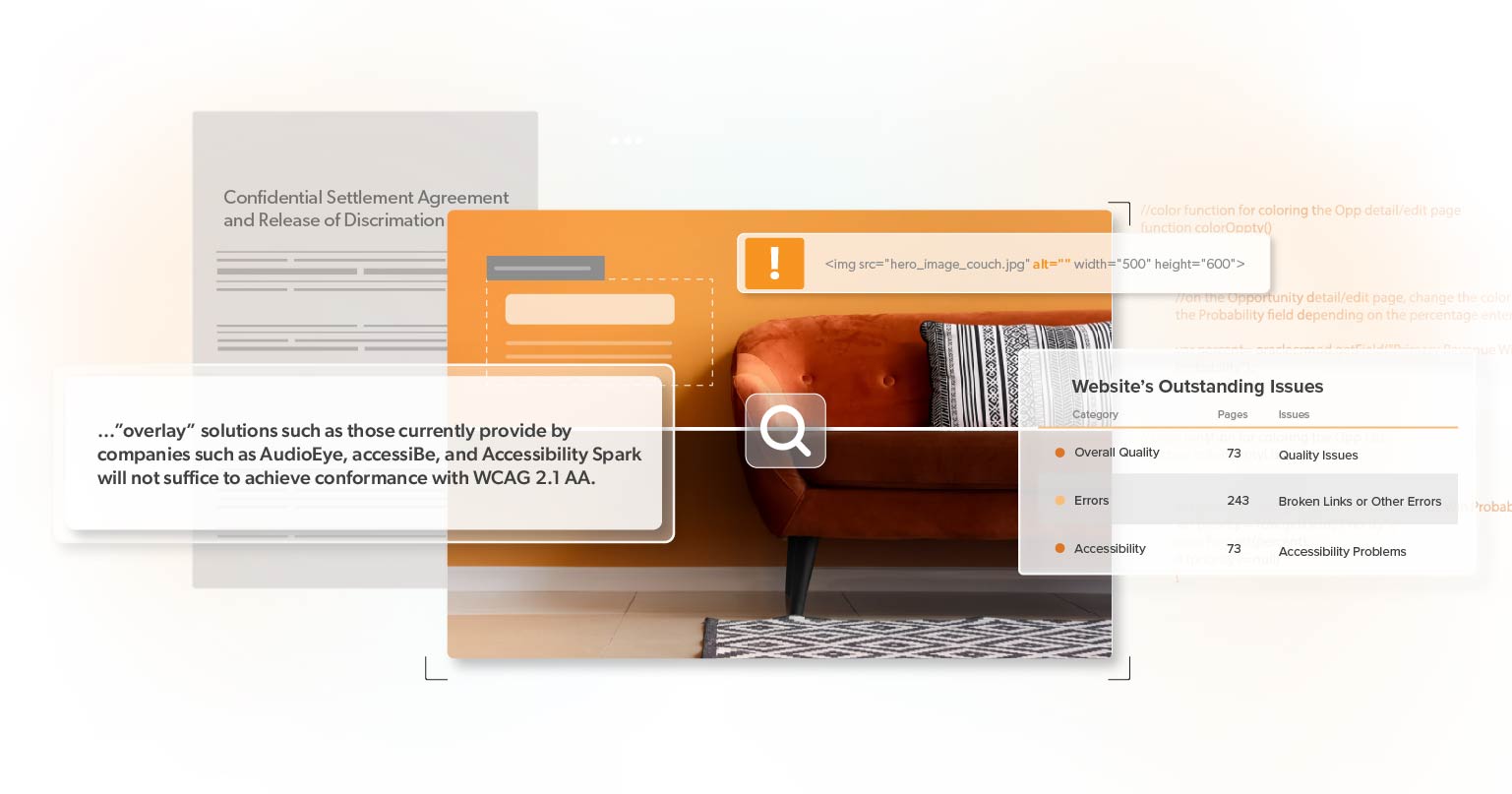
    While using an overlay may help meet some rules in accessibility standards, it cannot ensure

    Conformance means meeting or satisfying the requirements of the web accessibility standards. According to Web Content Accessibility Guidelines (WCAG), the ‘requirements’ for web accessibility are called Success Criteria. To conform to WCAG’s guidelines, you must meet or satisfy all the Success Criteria.

    Since conforming to a standard involves meeting all its requirements, products that claim to bring a website into compliance but cannot fix all issues should be approached with caution.

    Why Overlays Are Not Fully Accessible

    Here’s a simplified analogy: Imagine a pothole in the road. Instead of fixing it properly, someone places cardboard over it. It might look covered, but it’s still there, and it’s just a matter of time before someone falls through.

    Similarly, while overlay widgets might give the appearance of an accessible website, they often merely cover up underlying issues. The worst part? Sometimes, they introduce new problems.

    The Limitations of Accessibility Overlays

    While overlays may provide some surface-level improvements, they often fail to address the comprehensive requirements for ADA compliance. Automated fixes can be incomplete or inaccurate, leaving certain accessibility issues unaddressed and potentially leading to legal consequences.

    Here’s why:

    • Partial Fixes: While overlays can assist in certain areas, like making text bigger for those with vision problems, they don’t treat the root problems in the website’s code, leaving site owners vulnerable to ADA lawsuits.
    • Inconsistency: Overlay performance can be unpredictable across different devices and browsers, particularly on mobile.
    • False Assurance: Sole reliance on overlays can be deceptive. They detect only about 30% of accessibility barriers. The intricate WCAG guidelines mean that overlays can only handle some necessary adjustments. A hands-on review is needed to find the remaining 70% of issues.
    • User Experience: Some overlay tools give users an overwhelming number of choices, making things more perplexing or even creating new hurdles for disabled users.
    • Conflicts with Assistive Tools: Many people with disabilities use specific tools to navigate the web. Overlays can disrupt these tools, making the website even less accessible. 

    To learn more about how overlay widgets fail to make a website compliant, check out our blog post, Why AI & Overlay Widgets Fail ADA Website Compliance.

    Overlays Don’t Protect Against Web Accessibility Lawsuits

    Many website owners opt for overlay widgets, believing they will shield them from potential lawsuits. However, this couldn’t be farther from the truth. Some advocates argue that these overlays can create a false impression of compliance, attracting attention from individuals keen on holding non-compliant websites accountable or with a desire for a quick payout.

    At the 2021 Digital Accessibility Legal Summit, Jeremy Horelick, Jason Taylor, and Richard Hunt discussed overlays being marketed as one-step software solutions for website accessibility. The answer was a clear no when asked if overlays reduce the risk of litigation expenses.

    “They absolutely do not. And there are two reasons why this is true. The first reason is simply because they don’t actually fix websites. […]

    The other reason is because the law firms, not all the law firms, but many of the law firms that are in this area do not care whether the website is really accessible or not. Their desire is to find something that they can identify as an error, usually by measuring it against WCAG, and if they can find that error, they can file a lawsuit in good faith. Remembering that their goal is to settle the lawsuit as soon as possible.”

    Accessibility Overlays Can Make You A Target

    Using an overlay widget is like announcing, “I’m trying to be compliant.” But when that compliance is only surface-deep, it can make you an easy target for litigation.

    So you might wonder, “Why would an overlay make me a target?” Here’s a deep dive into the mechanics:

    Lawsuit Mechanics

    Lawsuits related to web accessibility often rely on demonstrating that a website remains non-compliant despite attempts to rectify it. Scanning tools most plaintiff firms use won’t reliably pick up the solutions provided by widgets and overlays. While suggesting an effort to comply, overlay widgets often fall short of genuine accessibility. As such, your site will “scan” in exactly the same way and not at all change the initial filter most plaintiff firms use to determine who to go after. This discrepancy provides an avenue for legal action.

    Lawsuit Claims

    Most lawsuits nowadays don’t primarily address WCAG compliance concerns. They cite issues of functional use—things that impact a person with a disability’s ability to use a site. However, overlays won’t affect those claims and will often worsen the functionality. Many claims pinpoint overlay widgets’ inconsistent and ineffective nature, emphasizing that they don’t provide a uniform solution for every user.

    Public Record Evidence

    Implementing a widget or overlay on your website highlights potential shortcomings in your approach to accessibility. This public display could be referenced in future legal proceedings as evidence of your organization’s consistent lack of attention to accessibility. In the context of the ADA, this could be seen as a failure to adapt policies, practices, and procedures to ensure accessibility.

    2023 Overlay Litigation Wave

    In 2023, we saw 933 websites become targets for ADA non-compliant lawsuits because they relied solely on overlay widgets. This marked a notable 62% increase from the previous year. The legal actions brought against these companies often point fingers at the features and functions of these widgets, claiming they contribute to accessibility issues, along with the common failures outlined in WCAG.

    Attorney Richard Hunt, who specializes in digital ADA cases at Hunt Huey PLLC, was among the first to focus on such legal matters. In a post titled “Is there a silver bullet for ADA website accessibility? Sorry, but the answer is no,” he emphasized that using an accessibility overlay or widget won’t protect businesses from ADA lawsuits. 

    Hunt stated, “If your business wants to avoid getting sued under the ADA because of an inaccessible website an accessibility overlay or widget isn’t going to help you. I can say this with some certainty because in the last two weeks alone five lawsuits have been filed against businesses that use an accessibility widget or overlay on their websites.”

    Privacy Concerns

    Besides potential legal problems tied to web accessibility, privacy concerns have surfaced. Overlays that automatically activate certain features, such as those for screen reader or speech recognition users, do this by detecting when an assistive technology is in use on the device. This reveals that the person using the device at that time has a disability. In some instances, it even exposes more personal information, like age, ethnic background, or preferred gender. Collecting such data should only happen with the informed consent of the person to whom it belongs.

    Privacy Concerns and Legal Consequences

    Some overlays keep users’ settings consistent across different websites that use the same overlay. This is achieved by placing a cookie on the user’s computer. When the user activates a setting for a specific overlay feature on one site, the overlay will automatically activate that feature on other sites. 

    Although the overlay company may believe they are benefiting the end user, the major privacy issue is that the user never agreed to be tracked, and there’s no way to opt out. Because there’s no opt-out option (except for explicitly turning off that setting), this poses a risk under the General Data Protection Regulation (GDPR) and  California Consumer Privacy Act (CCPA) for the overlay customer.

    What Actions Should Website Owners Take?

    For website owners, the lesson is clear. While overlay widgets might seem like an easy fix for web accessibility, they’re anything but. Not only do they fail to address the root accessibility issues, but they also paint a target on your back for potential litigation.

    If you’re a website owner considering using overlay widgets, tread cautiously. Instead of looking for shortcuts, invest in a comprehensive web accessibility evaluation and manual review from the experts at 216digital to ensure that all accessibility barriers are identified and addressed correctly. 

    It is crucial to recognize the limitations of AI and use it in conjunction with other accessibility tools, such as regularly testing and evaluating accessibility compliance through automated and manual audits. By adopting a multi-faceted approach to accessibility, you can minimize the risk of legal action and make sure that digital content is accessible to all users. 

    Team Up with 216digital

    After years of analyzing ADA lawsuits, we’ve discerned the tactics used by law firms to pinpoint websites for groundless ADA claims and how to protect businesses against them. Our team of accessibility experts can also develop strategies to integrate WCAG 2.1 compliance into your development roadmap on your terms to save you from potential legal headaches in the future.

    Remember, web accessibility is not just about legal compliance but about creating an inclusive web for all. So don’t wait any longer—find out where you stand by scheduling a complementary ADA Strategy Briefing today.

    Greg McNeil

    February 27, 2024
    Legal Compliance
    Accessibility, ADA Compliance, ADA Web Accessibility, ADA Website Compliance, Ai and Overlay Widgets, Overlay widgets, Website Accessibility, Website Accessibility Tools
  • 2023 Web Accessibility Lawsuit Trends and Insights

    2023 Web Accessibility Lawsuit Trends and Insights

    Web accessibility is no longer just a buzzword for the tech-savvy; it has become a crucial aspect of every online business. The surge in ADA-related lawsuits in 2023 serves as a wake-up call for website owners, developers, and digital marketers. Ignorance is no longer bliss, and understanding the trends can be the key to safeguarding your online presence in 2024.

    For companies of all sizes, this raises a pair of essential questions:

    1. What is behind this rise in litigation?
    2. Is my business at risk?

    In this post, we break down the 2023 web accessibility lawsuit trends and provide insights to help you navigate the evolving landscape. In today’s digital world, being informed isn’t just advantageous—it’s essential.

    A Shift in Web Accessibility

    Advocates for digital platforms being included in the Americans with Disabilities Act (ADA) have made significant progress in 2023. The Department of Justice (DOJ) declared that by 2024, all state and local websites must adhere to WCAG AA standards. This move shows that websites and mobile apps are just as important as physical places.

    Right now, the declaration above only applies to state and local government groups under Title II of the ADA. But private businesses, often under Title III, might have to follow similar rules soon. This success, along with other updated state laws like California’s Assembly Bill (AB) 1757, has encouraged supporters to take legal action in record numbers.

    A Closer Look at the Numbers

    The numbers are in, and they’re striking: Plaintiffs filed 4,605 federal and state-filed ADA-related digital lawsuits, 683 more than in 2022. 3,086 of these lawsuits went through federal courts, whereas 1,519 were in state courts. This shift emphasizes the growing significance of state lawsuits in digital accessibility.

    New York and Web Accessibility Lawsuits

    In fact, Plaintiff firms file almost 75% of all lawsuits in New York federal or state courts. Although we have seen increased lawsuits outside the prominent three regions of New York, California, and Florida, New York is still the king.

    But don’t get excited if you are outside of these states. The internet has no boundaries; having customers in a state is enough to be susceptible to legal action. For instance, your online business may be in Ohio. Still, a customer in New York State can file a claim in New York for your website having web accessibility barriers. Your location has no bearing. 

    But what if you are just a small online business? You should be safe, right?

    What Industries Are Most at Risk?

    eCommerce websites are more likely to be sued than other industries, such as Food Service and Education. In fact, 80% of all lawsuits are against eCommerce websites, with the majority of cases filed by visually impaired or blind individuals. This is because more and more businesses are selling online than ever before. eCommerce websites constantly change and frequently have complex functionality, making them more susceptible to legal issues. 

    Want to know more about eCommerce ADA litigation? In that case, check out our article, “Retail is the Prime Target for ADA Web Accessibility Lawsuits.“

    Suppose you have already been sued for web accessibility, you should be safe from subsequent lawsuits, right? Unfortunately, the data says otherwise.  

    Copycat Accessibility Lawsuits Are On the Rise

    It is not surprising that 25% of web accessibility lawsuits in 2023, more than 700, were filed against businesses that have previously been involved in ADA digital lawsuits. This highlights the prevalence of legal issues related to accessibility. 

    Why the Surge in Copycat Lawsuits?

    Unfortunately, the ADA does not protect a company with an inaccessible website, regardless of how often they have been sued, when the lawsuits occurred, or whether they settled to make improvements. 

    Any new user who encounters barriers on a website can file a lawsuit against that website or any other websites or apps owned by the same company. This may lead to copycat lawsuits from new plaintiffs.

    The bottom line? If digital content is not accessible, the risk of legal repercussions is substantial. But how should online businesses protect themselves against ADA claims in 2024? Web accessibility widgets and overlays?

    Web Accessibility Widgets and Overlays

    Many companies that offer accessibility widgets claim to be the ultimate solution for overcoming barriers and even promise legal protection from ADA cases. If you search on Google for web accessibility solutions, you’ll find numerous companies competing for your attention. However, these widgets fall short of being the magical fix many hoped for.

    In 2023, 933 businesses using accessibility widgets faced lawsuits, a 62% increase from the previous year. These legal actions often point out the widget features and functionality as causes of accessibility barriers, along with common WCAG failures. But why is that the case?

    The Pitfalls of Web Accessibility Widgets and Overlays

    One major issue with accessibility widgets is that they don’t address the fundamental access barriers on websites. Although these issues are not visible to most users, they pose significant challenges for people with disabilities.

    Furthermore, overlays can only identify 30% of web accessibility errors. Unfortunately, overlay tools struggle to handle the complexity of WCAG guidelines and cannot make the comprehensive changes necessary. The remaining 70% of issues can only be identified through manual testing.

    The trend of filing ADA complaints and lawsuits against companies using accessibility widgets will continue into 2024. Achieving complete ADA or WCAG compliance requires more than just overlays or widgets. So, what should you do?

    How to Keep Your Online Business Safe

    It’s crucial to make sure that your website and online applications follow ADA web accessibility rules to lower the risk of getting sued. This might mean teaming up with web accessibility experts to review your site and make any necessary changes.

    To avoid ADA web accessibility litigation, online businesses should take the following steps:

    1. Review your website: Conduct a comprehensive web accessibility audit to identify all barriers.
    2. Make a plan: Once you find the barriers, address the issues identified in the audit. Start with the most critical issues first.
    3. Train Staff: Show your team how to follow the best practices for web accessibility and keep things accessible in the future.
    4. Use helpful tools: Frequently test your websites or apps for accessibility with tools like web accessibility monitoring services.
    5. Accessibility Partner:  Get support from experts who focus on accessibility to make sure you’re following ADA requirements.
    6. Stay Updated: Stay updated on WCAG standards and update your websites and apps when needed.

    Conclusion

    In today’s digital age, web accessibility is non-negotiable. Whether you aim to protect against ADA lawsuits or strive for WCAG 2.2 AA compliance, taking immediate and comprehensive action is vital. At 216digital, we understand the nuances of ADA lawsuits and can help develop a strategy to integrate accessibility into your development roadmap. 

    Schedule a complimentary ADA Strategy Briefing today to learn more about securing ongoing, real-world accessibility on your terms.

    Greg McNeil

    January 23, 2024
    Legal Compliance
    ADA Compliance, ADA Lawsuit, ADA Web Accessibility, ADA Website Compliance, Web Accessibility, web accessibility lawsuits
  • Web Accessibility: The Wayfair Example

    Web Accessibility: The Wayfair Example

    Wayfair, one of the internet’s leading home goods and furniture retailers, was hit with another class action lawsuit in June. The lawsuit alleged that the company’s website was not accessible to legally blind customers.

    In this legal action, Seana Cromitie, a visually impaired woman, claimed that she encountered accessibility issues while attempting to purchase a shoe rack from Wayfair’s website. These issues, she argued, denied her the same level of access to Wayfair’s online products, content, and services as sighted customers.

    Cromitie’s lawsuit is part of a growing wave of web accessibility litigation filed under the Americans with Disabilities Act (ADA). But what can business owners learn from Wayfair’s recent allegations and the dangers of ignoring web accessibility?

    Below, we’ll discuss the plaintiff’s claims, providing tips for avoiding and responding to ADA demands. 

    The Americans with Disabilities Act

    The Americans with Disabilities Act (ADA) is a civil law designed to protect the rights of people with disabilities in all areas of public life. While it doesn’t specifically mention websites, the courts have made it clear that the ADA applies to websites, whether they’re owned by government agencies or private businesses.

    In July 2023, the Department of Justice (DOJ) suggested a new rule to ensure that online services provided by state and local governments become more accessible under Title II of the ADA. Although Title III, pertaining to privately owned businesses, has yet to see changes, the DOJ published guidance in 2022 confirming its position that the ADA does apply to websites, stating:

    “…the Department has consistently taken the position that the ADA’s requirements apply to all the goods, services, privileges, or activities offered by public accommodations, including those offered on the web.”– US Department of Justice | Guidance on Web Accessibility and the ADA (2022)

    – US Department of Justice | Guidance on Web Accessibility and the ADA (2022)

    Failure to do so can result in legal action, as Wayfair’s recent case demonstrates. But what are the legal standards for ADA compliance?

    For an in-depth look at the proposed changes to Title II of the ADA, check out our article “The ADA’s New Shift Towards Web Accessibility”

    Title III and WCAG

    Due to the DOJ’s delay in releasing technical standards for web accessibility, confusion has emerged among businesses and website owners about what is required for ADA compliance. 

    As a result, the DOJ often refers to the Web Content Accessibility Guidelines (WCAG) as the standard for ADA web compliance. The DOJ has even joined lawsuits against businesses and organizations that have failed to meet the WCAG standards.

    However, Title III of the ADA has no legal standard for web accessibility— even achieving WCAG 2.1 AA conformance does not fully protect you from lawsuits. 

    So, how can businesses close the door to potential litigation? Let’s take another look at Wayfair’s June court case.

    Background to the Wayfair’s 2023 ADA Case

    The plaintiff, Seana Cromitie, asserts that Wayfair’s website falls under the definition of a public accommodation in Title III of the ADA. Therefore, it is considered discriminatory and illegal to deny people with disabilities access to the same products and services offered to others.

    The 2023 court case centers on issues that made Wayfair’s website challenging for screen reader users. Screen readers are essential tools for users with visual impairments, as they provide an auditory interpretation of the website’s content. However, Wayfair’s website lacked the necessary features to accommodate these users.

    Wayfair’s Web Accessibility Barriers

    The class action complaint cites several specific issues with Wayfair’s website. These key issues include:

    • Missing alternative text (or alt text): Alt text is vital for users to understand what an image looks like and its function on a website. Wayfair’s website had numerous images without meaningful alt-text, making them incomprehensible to visually impaired visitors.
    • Incorrectly Formatted Lists: Screen readers rely on well-structured lists for proper navigation. When the lists aren’t correctly formatted, the screen readers might read items in the wrong order or convey the list incorrectly, making it challenging for users to understand the content and move around the site.
    • Unannounced Pop-ups: Pop-up windows on the website without proper announcements caused confusion for screen reader users, hindering their navigation and comprehension.
    • Broken and “empty” hyperlinks: Broken links can disrupt the user’s experience by not explaining where the link or image will lead. This can frustrate users and make accessing various parts of the website challenging.
    • Missing Keyboard Navigations:  Requiring a mouse for specific actions creates barriers for people with motor impairments or those who rely on keyboards or other assistive tools.

    Unfortunately, these barriers are widespread, leaving millions of businesses unknowingly open to frivolous lawsuits. 

    Common Web Accessibility Barriers

    In their annual analysis of the top 1 million website home pages, WebAIM (Web Accessibility In Mind) found that 96.3% of home pages had detectable failures of WCAG. 

    According to their finding, many of the same barriers cited in Wayfair’s case appear in their top WCAG 2 failures, including 58.2% of homepages missing alt text for images, while 50.1% had empty links. However, both of these barriers can take seconds to remove. 

    Suppose businesses recognize their mistakes early and make immediate changes. In that case, the cost to correct these barriers won’t accumulate or cost as much later. Remediating thousands of issues on an e-commerce website will require a substantial investment while building for accessibility will cost much less over time.

    No Business is Too Small

    While Wayfair is a major retailer, small businesses are also covered by Title III of the ADA. They are responsible for providing web content that works for all users, regardless of their abilities. 

    In fact, smaller companies with revenues under $25 million have been frequent targets. They accounted for 77% of ADA non-compliance cases in the first half of 2023, and many plaintiffs allege the same issues cited in the Wayfair class action case. 

    So, what steps can your website take to ensure ADA compliance?

    A Step Towards Web Accessibility

    Making sure your website is web-accessible is not only a legal requirement but also a moral and business imperative. This may involve working with web accessibility experts to conduct an audit and any necessary changes.

    Here are some steps you can take to improve your web accessibility:

    1. Conduct a web accessibility audit: Conduct a comprehensive web accessibility audit to identify all web accessibility barriers.
    2. Make a plan:  Familiarize yourself with WCAG’s guidelines and work to meet or exceed their standards. Address the issues identified in the audit, prioritizing the most critical issues first.
    3. Consider a dedicated accessibility team: Partner with an accessibility team to oversee ongoing web accessibility efforts and ensure compliance with ADA requirements.
    4. Train and Education: Educate staff on WCAG best practices and how to maintain accessibility standards moving forward.
    5. Regular Monitoring: Continuously monitor your website for accessibility issues and address them promptly.
    6. Stay up-to-date: Stay informed about ADA web accessibility requirements and update websites and apps as needed.

    Start Your Journey to ADA Compliance

    The recent lawsuit against Wayfair is a stark reminder of the importance of web accessibility under the Americans with Disabilities Act (ADA). It’s not just a legal requirement; it’s a moral and business imperative—no matter the size of your business, accessibility matters. The case of Wayfair demonstrates the very real risks of ignoring web accessibility and the potential for costly legal action.

    Whether you want to protect against a frivolous ADA accessibility lawsuit or become WCAG 2.1 AA compliant, 216digital has you covered. After years of analyzing ADA lawsuits, we’ve discerned the tactics used by law firms to pinpoint websites for groundless ADA claims and how to protect businesses against them. Our team of accessibility experts can also develop strategies to integrate WCAG 2.1 compliance into your development roadmap on your terms. 

    Don’t wait for a lawsuit to push you into action. Schedule a Complimentary ADA Strategy Briefing with 216digital to take the first step towards website accessibility.

    Greg McNeil

    October 26, 2023
    Legal Compliance
    Accessibility, ADA Compliance, ADA Lawsuit, ADA non-compliance, ADA Website Compliance, Website Accessibility
Previous Page
1 … 9 10 11 12 13 14
Next Page

Find Out if Your Website is WCAG & ADA Compliant


    216digital Logo

    Our team is full of expert professionals in Web Accessibility Remediation, eCommerce Design & Development, and Marketing – ready to help you reach your goals and thrive in a competitive marketplace. 

    216 Digital, Inc. BBB Business Review

    Get in Touch

    2208 E Enterprise Pkwy
    Twinsburg, OH 44087
    216.505.4400
    info@216digital.com

    Support

    Support Desk
    Acceptable Use Policy
    Accessibility Policy
    Privacy Policy

    Web Accessibility

    Settlement & Risk Mitigation
    WCAG 2.1/2.2 AA Compliance
    Monitoring Service by a11y.Radar

    Development & Marketing

    eCommerce Development
    PPC Marketing
    Professional SEO

    About

    About Us
    Contact

    Copyright 2024 216digital. All Rights Reserved.